SmallMeasure is a free on-screen ruler software which can measure anything on your desktop screen. This ruler has two movable handles which you can put anywhere on your desktop screen to measure the distance between any two points. It measures the distance in pixels and shows the actual Length between these two points.
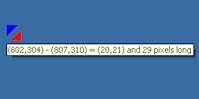
We have previously covered articles on some other free on-screen rulers. This is another add-on which can measure the distance between any two points on the screen.
How this On screen Ruler works?
SmallMeasure is very simple and easy-to-use on-screen ruler software. It does not look like a traditional ruler which you have used in your math class when you were a kid. It has two tiny movable handles. You can pick these handles with your mouse and place them at the starting and ending points of the desired area on-screen. SmallMeasure, then display the (x,y) coordinates of the selected area, along with its Length, in pixels.
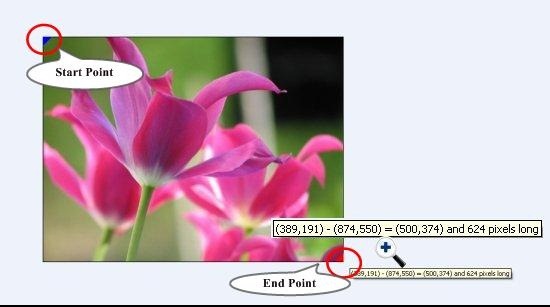
This on-screen ruler might look very tiny, but this does not limits the area it can measure on your desktop screen. You can measure anything, no matter how so ever wide it is, with this simple measuring tool. It can measure the whole length of your monitor screen.
Also check our reviews on ZeScreenRuler, which can measure screen distances, areas, and even angles.
Features of SmallMeasure:
- Easy to use measuring tool: SmallMeasure is an easy-to-use on-screen measuring tool, which can measure almost anything on your desktop screen.
- Accurate measurement: This free on-screen ruler measures the dimensions of any object in pixels and gives accurate results.
- Refine Handle Movement: It also allows you to more precisely move the measuring handles. To do this, just hold the handle with the left mouse button and keeping the button pressed, use the arrow keys from your keyboard to more precisely move the handles.
The Final Verdict:
SmallMeasure is a nice on-screen measurement tool. I found the software quite useful but I would have liked it more if it could have possessed the capability to measure dimensions in other measuring units also; like, centimeter, inches, percent, etc.
