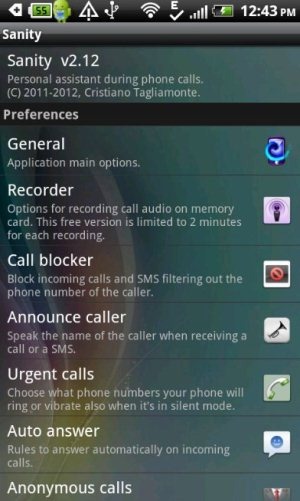
Sanity is a free Android app to manage phone calls on Android. This Android Sanity app is a very advanced app to improve phone call experience on Android. The app comes up with a call recorder, call blocker, call announcer, auto call answer, automatic hands free mode, volume control, notification and more on Android. Also, this Android Sanity app comes up with a small custom settings for SMS on Android.
The app comes up with multiple methods to customize your incoming and outgoing calls on Android.

I really liked the call recorder of this Android Sanity app, when I installed it on my Android phone. The app enables an automatic call recorder on Android which in turn records the voice calls on your Android. The recorder is very smart and records the voice of both the parties on your Android. All the recording are automatically saved in SD card on your Android.
I also tried the call blocker option in the app on my HTC Android phone, but it didn’t blocke any incoming call. On the other hand, I also tried call announcer option on my Android phone and it also didn’t work on my Android phone. Apart from this, Sanity app for Android is a good app in Google Play Store.
You can check out AutoCallRecorder app for Android reviewed by us.
Key Features Of Android Sanity App:
- You can manage and improve phone call experience on Android.
- Smart call recorder in the app.
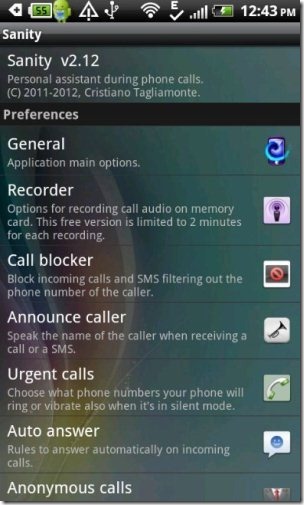
- Comes up with small custom settings for SMS too.
- Call blocker to block calls. (It didn’t work on my Android phone)
- Call announcer to announce the name of the caller when you receive an incoming call on your Android. (It didn’t work on my Android phone)
- Automatic hands free when any incoming call lands on your Android.
- Volume and vibration control.
- Sanity Notification settings.
- Auto answer option available.
- Make private calls by hiding your caller ID with outgoing anonymous calls.
Also, check out how to find call statistics on Android reviewed by us.
How To Install Sanity App On Android:
- Login to Google Play Store on your Android phone.
- Search for “Sanity” app in Google Play Store on your Android phone.
- If you have a Barcode Scanner app, the scan the QR Code below.

- Install the app on your Android phone.

The free Android Sanity app will be automatically installed on your Android phone. Click here to download Sanity app from Google Play Store.
Easily manage your phone call and improve your calling experience on your Android. Force your Android phone to work smartly for any outgoing or incoming call on your Android.
