SketchBook Express is a free Windows 8 drawing app available under the ‘Entertainment’ section of Windows 8 App Store. It’s a very intuitive drawing app for Windows 8 that lets you experience the professional-grade sketching, drawing, and painting tools right on your Windows 8 system. This Windows 8 drawing app lets you perform free-hand sketching by using tools such as digital ballpoint, pencil, marker,eraser, French curves, paintbrush, airbrush, smudge brush, fill-color, and more.
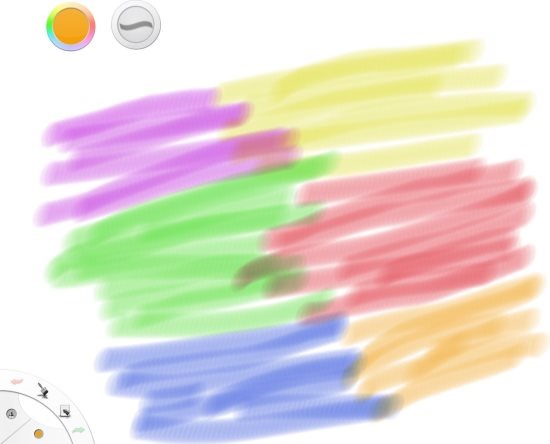
Installing Sketchbook Express in Windows 8 can transform your PC into a professional artist’s toolkit. It has the ability to bring out the artist in each one of us. You can easily resize the brush size, pick a color, undo, redo, apply mirror-effect, import an image from your local machine, export your painting by saving it, and do a lot more. You can upload an image from your PC and start modifying it. You can also use smudge brushes to blend the colors and give your painting a sketch look.
How To Use SketchBook Express:
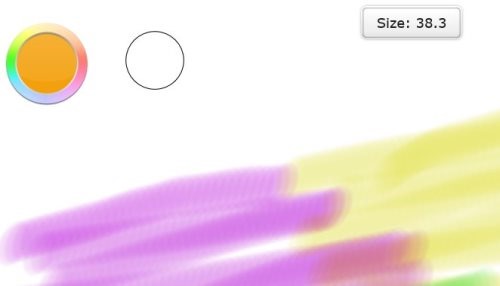
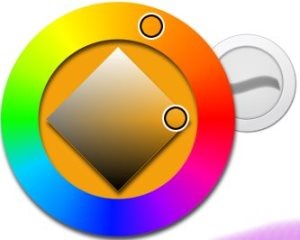
As you open this Windows 8 drawing app, you will find two circles at the top of the virtual canvas: one is for choosing the color and the second one for resizing the brush, pencil, or eraser sizes. At the bottom left corner, you will see more options where you can pick a brush, or choose from various painting effects. Also, you will find undo and redo options on that panel itself. To resize the brush-size, just hold on the second circle and move mouse → set the size according to your requirement.
Also, if right-click anywhere on the screen → a horizontal panel will open at the bottom of the screen → three options such as ‘New’, ‘Open’, ‘Export’ will bring up to you → you can easily save you painting using ‘Export’ option, once you have completed your painting. Now, let me quickly point out the key features of this drawing Windows 8 app below.
Also, check out more drawing apps on other platforms: Drawing Apps For Android, Drawing Apps For iPhone.
Key Features Of Windows 8 Drawing App:
- Lets you get experience the professional-grade drawing tools.
- Familiar tools such as digital ballpoint, pencil, marker,eraser, paintbrush, airbrush, smudge brush, fill-color, and more makes it easier to work with SketchBook Express.
- Lets you resize brush-size and pick colors from the color palette.

- Lets you import images from your local machine.
- Lets you save a painting, once done.

- Lets you use smudge brushes to blend the colors and give more of original painting-look.
- It’s a free Windows 8 app.

In short, SketchBook Express is a nice Windows 8 drawing app where you can draw hand-free sketch and explore your imagination as much as you can. Go ahead and download SketchBook Express now.
Download SketchBook Express (open link in IE only).
