AkelPad is a simple text editor which comes with all the standard as well as some new features one can ask for. The basic motive behind developing this free text editor has been to provide a small and fast open source editor which adds more than the basic text editor available. Moreover, it’s a nice addition to provide new software in the field of some handy text editors available.
Installing AkelPad
The simplicity as seen in the way we use this free text editor can also be seen from the way one installs the particular software. You would be required to visit the download page here and click on the download link available. Once you click on it the setup file would get downloaded on your system. The next step would be to run the setup file downloaded and follow the step by step process to install the simple text editor on your system. If you are interested to try some more text editing software, you can check out EditPad Lite, Caderno and Notepad X reviewed by us.
User Interface of AkelPad
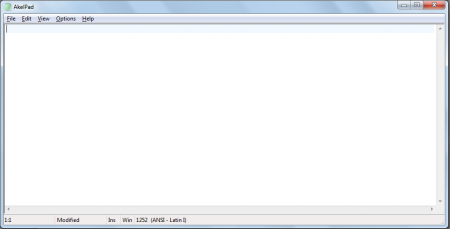
When launched the greenish feel to this free text editor reminds you of the basic text editor that comes pre-installed on your Operating Systems. The entire screen presents you a blank area to type with the menu bar at the top having all the options to open, close, and access options for using this simple text editor. Clicking on the view tab could help you split the main window into 4 parts adding convenience while you wish to use or type multiple text documents.
Features of AkelPad
To list down some of the handy features this software comes with would be as follows:
- Provides you three window options namely Single Window, Multiple Window, Pseudo window
- It is compatible with all the operating systems starting from Windows NT to Windows 7. It also supports DOS/Windows, Mac and Unix operating systems
- Some other notable features would include option of column text selection, faster search and replace option, multi-level undo, supporting different language modules, Print Preview and printing compatibility, etc
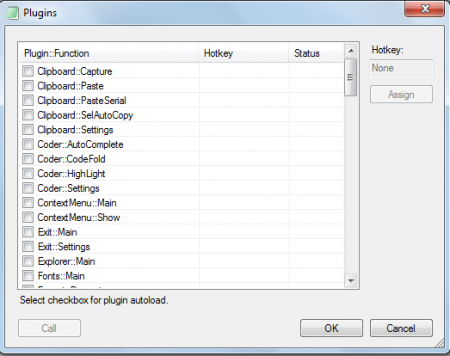
- The AkelPad also supports various plugins such as the auto-completion, keyboard macros, syntax highlighter, etc.
Using this free text editor
Besides providing the above additional features the software works in the same way you would have used your favourite text editor or the MS Word before. When you have it in front of your screen you could start typing instantly. While you type the row you are on and typing the text is highlighted by an olive-green color to help you locate where you currently are.
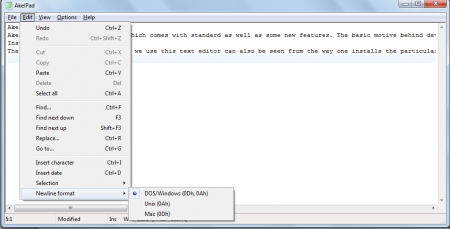
In order to modify the page setup, you could click on file and select page setup. Further you may even select the Preview option to have a look at the document you are typing and the way it would get printed from your printer. Further clicking on edit lists down various options such as using the feature of finding texts, replacing them, inserting character, inserting date, etc. There are other handy options in this drop down such as the Newline format where you could change the UNICODE to a DOS, WINDOWS, UNIX mode depending on the system you wish to use this on.
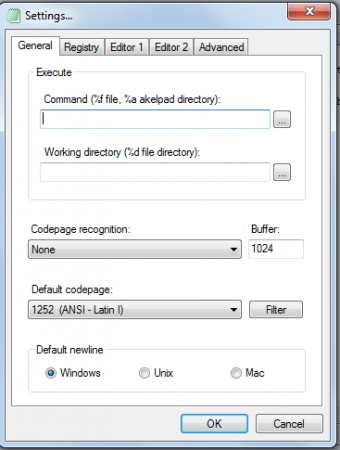
Next to this tab you have the option ‘’View’’ where you can select your preferred language, Display mode, and the options to add plugins. You also have the settings option from the drop down where you are provided both general settings and advanced settings for text editor. Finally the last drop down has the help option which provides you a help manual, update option, and about section for the details of its release and the developers.
Overall, the simple yet effective features AkelPad text editor comes with make it a pretty handy application. Further being available for free it is a great alternative to the age-old text editors which we had been using.
