3D bowling is a free bowling game for Android. It is the real 3D bowling game on Android phones. Also this Android 3D game is most addictive bowling game in Android market. Try your best to score as many consecutive strikes as you can and be the ultimate player in 3D bowling game. This bowling game for Android is the only game app in Android market that implements the 3D physics engine and effects.
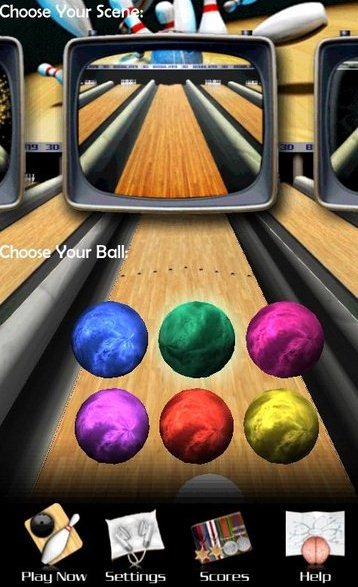
This Android 3D game has a welcome screen that allows you to choose from 5 scenes and balls as per scene. You can also adjust sound and game music through settings option given. This Android 3D game provides awesome graphics and a very easy interface that makes this game look real. You can also check your best scores along with the most spares, average score, consecutive strikes, most gutter, most strikes and consecutive spares in score option from within the app.
You can also check out Pool Game and Slot Game for Android reviewed by us.
Some Key Features Of 3D Bowling, Android 3D Game:
-
It provides 3D graphics on Android screen which looks very real when played.
-
Provides multiple scene and multiple bowling balls in scene.
-
You can check your scores, strikes, spares and many more.
-
Also you can create your own profile by editing name and adding a profile picture.
-
You can track the details of the game in the form of stats.
How To Play 3D Bowling Game On Android:
-
Drag the ball by moving it to the left or right and then position the ball to make it ready for throw.
-
Flick the ball towards the goal with your finger to bowl and goal.
-
Throw a hook ball by making a Gesture curve on the Android screen.
How To Install 3D Bowling Game:
-
Just login to “Android Market” or scan the QR Code.

-
Click on “Search” tab. Type “3D Bowling Game” in search tab.
-
Click on “3D Bowling Game”.
-
Click on “Install”.

The free Bowling Game, Android 3D game will be automatically installed. Also no need to go anywhere to play bowl game. Just install this ultimate game on your Android and play bowling game on your smartphone.
