Dekart Private Disk Lite is a free disk encryption software using which the user can create encrypted copies of CD,DVD, USB Flash devices and disk drives on the system and mount them as separate drives as well. This free disk encryption application has been designed to work on the Windows Operating system and it is capable of mounting the encrypted drive as a real disk. Information security has become a major concern especially in the corporate environment where systems are accessed by multiple individuals. Certain information on the computer’s hard drive needs to be protected from unauthorized users and one solution is encrypting the data on the hard drives. Dekart Private Lite Software has been designed to do just that.
Dekart Private Disk Lite uses state of the art 128 Bit AES(Advanced Encryption Standard) Encryption scheme which is certified by NIST to protect valuable data. Once the encrypted disk is created using this free advanced disk encryption software , it can be mounted on the filesystem like any other disk drive. A new drive letter can be assigned to the disks mounted in this way. The data stored on optical disks , USB flash drives can also be encrypted in a similar way. These images can be mounted whenever needed by the user.
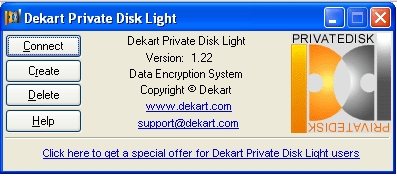
When the encrypted disk drive is mounted onto the system, the user can read and write data using this drive similar to using normal disk drives. The data encryption and decryption while doing so , is taken care of by this free disk encryption software automatically. A password will be used while encrypting a disk drive and this password has to be used while decrypting the drive while reading files and editing them.
You can also try other disk encryption software like Comodo Disk Encryption, FreeOTFE and Sophos Free Encryption
How to Encrypt Hard Drive with Dekart Private Lite:
- Create a new virtual encrypted disk using this disk encryption freeware.
- Fill it with the private data and disconnect the drive. Now the encrypted image is ready.
- Move the image to a USB Flash drive, CD or DVD.
- Copy the files and contents of C:\Program Files\Dekart\Private Disk as well as versnum.dll and dkar.dll from C:Windows\system32 to the root directory of the external storage device.
- Create an autorun.inf in the root directory of the drive using the example in the website, if you want to add the autorun functionality to the disk drive.
Dekart private Disk Lite is a free software and can be downloaded from the it’s official website. The size of the installer is just about 276 kb and hence downloading, installing and using the software is simple as well. This free disk encryption software is completely free of any malware, spyware and viruses so the user can feel secure about using this application.
Using Dekart Private lite is as simple as that.
Download Dekart Private Disk Lite Free.
