Paint.net is an image editing software to which a Paint.Net PSD Plug-in can be added for making it more functional. Paint.Net PSD Plug-in adds the extra functionality of viewing and editing Photoshop PSD files on your Paint.Net.
Paint.net is developed on .net platform and hence requires a .net pack to be installed on the system. This software supports all the latest version of the popular Windows operating system that is Windows XP, Windows 7 etc. This powerful image editing software has the power to edit various image formats including Jpeg, GIF, and BMP etc. Since Adobe Photoshop is a paid version of an image editing program, Paint.net now allows you to even edit .PSD files, without having to buy paid Adobe Photoshop software. Below, I am going to discuss some of the features which are very important and useful. Read more on Paint.Net.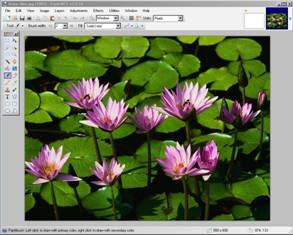
Advantages and features of this Image Editing Software:
- Initially people used Microsoft Photo Editor as a free tool for image editing. But unlike the Microsoft Photo Editor, this software has many new features built in ex: Magic Wand selection tool, which makes the image editing jobs more fun and effective.
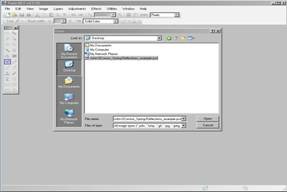
- Initially you need to download the latest version of this image editing program that is Paint.NET v3.5.10 (Final Release build version 3.510.4297.28964). After that you can download the PSD plug-in from the website.
- This will even allow you to view and edit the Photoshop PSD files on your Paint.net image editing software.
- It can handle almost all form of PSD files including CMYK, RGB, LAB colour etc. Quality of the displayed PSD image can be adjusted while saving it in other formats too.
You would also like to check out BImage Studio reviewed by us.
Installation Instructions For This Image Editing Software:
- First you need to down the PSD plug-in from the Paint.net website. It comes in the form of a .zip format.
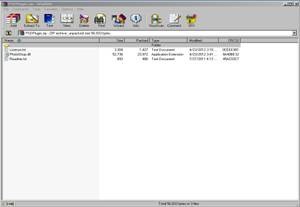
- Next extract this .zip compressed file to the “FileTypes” Folder. If the Paint.net program is open then close it.
- After restarting the program you will now be allowed to open PSD files using the Paint.net image editing software.
- Using the features available in the program you can even edit the PSD files if required and save it in other file formats ex: JPEG.
- This plug-in is very powerful and as far as .psd files are concerned Paint.net is able to edit almost all types of .psd files
- If you are not able to open a particular .psd file you can upload this file to the Paint.net website and later get the solutions for the same.
Conclusion:
This PSD plug-in for Paint.net is very useful for photographers and image editors. If they are looking for some free image editing software, Paint.net is a very good tool. Now with the PSD plug-in being introduced, Paint.net has become comparable to almost all professional paid image editing programs like Adobe Photoshop, Paint Shop Pro, etc.
In fact various users of Paint.net have reviewed this product as the most light image editing software, which needs very less system resources for the job of image editing to be done. In the future we might look forward to other proprietary image file formats being included as plug-ins with Paint.net. This will make the software even more effective and powerful. Add this smart Paint.Net plug-in to your Paint.Net in order to perform a next level image editing.
