Smart Measure is a free smart Android app to measure distance and height of an object from Android device. The name of the app itself defines its quality of being smart as it smartly measures distance and height of an object on Android device. Now no need of any special instrument to find the height or distance of any object. This range finder app is very intelligent and tells almost the accurate measure of an object measured.
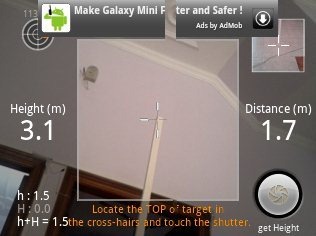
In addition, this range finder app to measure height and distance of an object is very easy to use. This range finder measures the height and distance of an object by trigonometry. It uses your phone’s camera for measuring distance and height. Just aim the camera at the ground and not the object. For e.g. if you want to measure height of a person then aim the camera at his/her shoes till his/her head, press the shutter and you will get almost the accurate measure of his/her height.
You can check out iOnRoad Augmented app for Android reviewed by us.
Some Key Features Of Smart Measure, Range Finder For Android:
-
Measures height and distance of an object.
-
Measuring of height is optional.
-
It uses phone’s camera to measure height and distance.
-
Tells distance and height in meters.
-
Almost accurate height and distance.
-
Very easy interface.
-
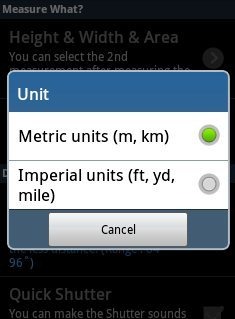
Change units from metric units to imperial units.
-
Supports 1.6 and up Android version.
-
Free app in Android Market
How To Install Smart Measure App:
- Just login to “Android Market” or Scan the QR Code below.

-
Click on “Search” tab. Type “Smart Measure” in search tab.
-
Click on “Smart Measure”.
-
Click on “install”.
Also check out some more Android app reviewed by us.
The free Smart Measure, range finder app will be automatically installed. Install this app today and make your Android an easy measuring tool to measure height and distance of any object. Be smart by working smart on your smart phone.
