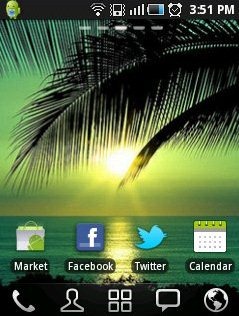
GO Launcher Ex is a free Android App which supports user define themes on Android device. This app includes home makeover, smooth operation experience and much more for Android. Go Launcher EX is Android app to replace home screen from Go Launcher team. This app creates a great change on the default home screen of Android by giving it a large number of Android themes.

Go launcher EX brings you a fresh and unique mobile managing experience for Android. In the menu bar located at the bottom of the screen it provides you the option of 5 visible icons which is a user defined icons. In addition to it, you can add many more icons to make the shortcut for accessing the app directly by tapping on shortcut icon. Just download your favorite Android theme from Go Launcher app and feel the difference. It completely replaces the home screen of our Android and also changes the app icons according to the Android theme applied.
You can check out Live Wallpaper App for Android reviewed by us.
Some Key Features Of Go Launcher Ex App:
-
Gives you bundle of Android themes to apply and makes your home screen looks awesome.
-
Featured widgets, such as GO Calendar, GO Task Manager and GO Clock
-
Scrollable and resizable widgets.
-
Smooth screen transitions.
-
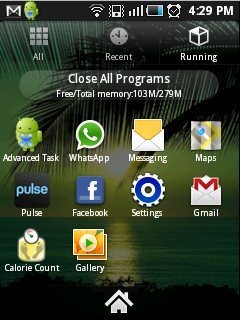
You can view programs that are running currently and the programs which you recently opened.
-
You can also close the running programs all together and also you can clear the history of the recently visited apps.
-
Set icon sorting, hide icon apps, uninstall app.
-
User-defined folder to easily categorize apps
-
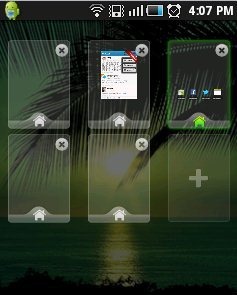
You can set shortcuts on home screen.
-
Replace any shortcut with any other app.
Also check out some Wallpapers App for iPhone and iPad too.
How To Install Go Launcher EX App:
-
Just login to “Android Market”.
-
Click on”Search” tab. Click on “Go Launcher EX” in search tab.
-
Click on “Go Launcher EX”.
-
Click on “Install”.
The free Go Launcher EX Android App will be automatically installed. Just apply different awesome Android themes and feel the beautiful changes on your Android device. Just get Access to easy interface with this great Go Launcher EX Android App.
