Docs Online Viewer is free of cost and is very helpful file viewer program supporting several formats. There are many websites, which contain various documents of different formats such as doc, pdf, csv, odt, ppt, xls and many more. Normally, to view these files you need to have some kind of software that can read these files for you like Microsoft Office Suite, Adobe Acrobat reader etc. To read different kinds of file formats online can be done with the help of Google Docs or by Zoho Viewer. Reading different file formats on browser requires add-ons from Adobe, Microsoft etc. To reduce the extra add-ons for reading each file can be done using the Docs Online Viewer.
Download and Installation:
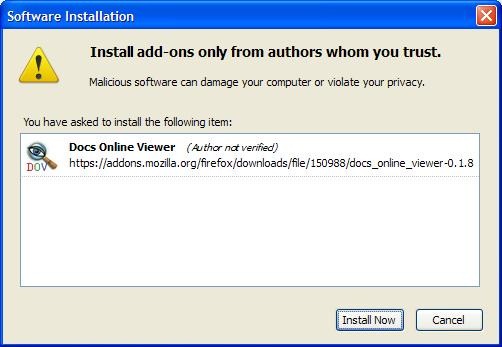
Docs Online Viewer script is available for various browsers such as Firefox, Google Chrome, Maxthon, and for GreaseMonkey. There are two ways to install Docs Online Viewer, for your Firefox browser which is by using the GreaseMonkey script or by Firefox add-on. You must choose any one of the method but not both. To install Docs Online Viewer on your Google Chrome browser, you can do it by using the GreaseMonkey script. The add-on for the Chrome is still unavailable, but it will be available very soon (according to the website). The add-on method is the simplest one for Firefox. Use the below link to go to the Firefox add-on section and click on the Add to Firefox button. After downloading the particular file, you need to click on the install button to finish the downloading. After the restart of your browser, the Docs Online Viewer will be available for use.
Browser requirement:
Latest browser of Firefox i.e. version 12.0 or above can be used to install this software using the GreaseMonkey. Opera and Google chrome browser may have a little bit of issues.
Benefits of online file viewer:
As we have already discussed that using the Docs Online Viewer you can view files of different file formats lets see some screenshots to get a clear picture. If any website contains any doc files or pdf file or any such kind of files you will notice an icon beside the link. Move your mouse on that icon, and click on it to open the corresponding file on Google doc or Zoho viewer. Since, the Docs Online Viewer uses Google Doc and Zoho Viewer API in developing this tool any one of them can be used to display the file.
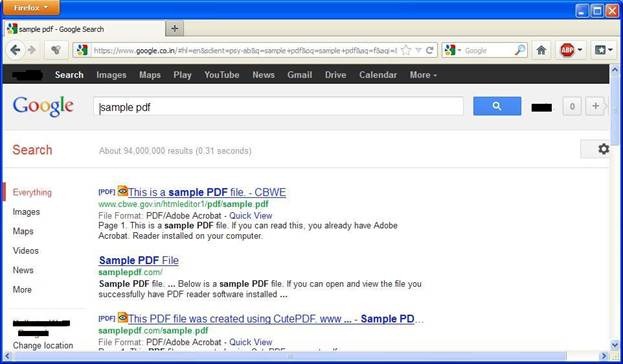
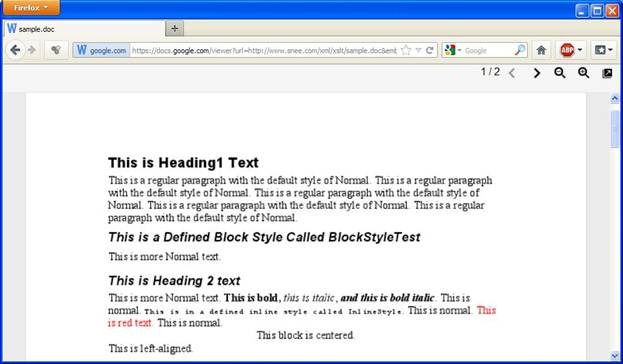
Opening non-document file is also possible with Docs Online Viewer. The procedure is same as above but in this case the zip file will show all the files, which it contains so that you can view those files before downloading it. From Google Doc, you can then select the particular file you want to download.
You can also check out other online document viewers.
Conclusion:
It’s very easy to install and use Docs Online Viewer. The major benefit of this file viewer add-on is that using this you can enjoy stable, faster and secure browsing experience. On any browser, adding lots of add-ons can have a negative impact on the performance; this tool can help you to solve this problem considerably. There are lots of vulnerable zip and rar files using this tool and you can look into those file, which save you from any harm from the web. Use this once and you won’t be disappointed with it.
To download Docs Online Viewer you can use this link.
