InWatch is a free filing application that automatically arranges and places files in defined locations on a computer. Users are able to use the software to store various documents, in the folders based on the file’s category or title.
People that use a computer to write reports, download images and videos and other such activities, inevitably end up having many files stored in various places in their system – often the desktop. As much as a user may try to store his or her files in locations that are easily accessed, invariably things don’t turn out that way. With this free sorting software, all files are stored conveniently and soon accessed.
As mentioned above, InWatch stores all your files automatically reliving you of the frustration of manually filing. When loaded, InWatch will monitor all files. by their extensions, the user has configured the application to keep tabs on. In other words, this software creates “watches” that separately track different types of files and storage destinations. This sorting software is able to monitor an unlimited volume of files based on the file’s extension.
In order for this file managing software to function flawlessly, users must first create, something called, a “source monitor”. This source monitor is able to be placed anywhere within the system – on the desktop, inside a folder and so forth. The next step is to add the file extensions; it is these file extensions that the program will monitor. File extensions may be input manually or automatically from the drop-down list of presets.
Once the above, “source monitor” is created and the file extensions have been entered, the user must select the destination folder for each extension. InWatch allows files to be either copied or moved to a destination folder. With the setup complete InWatch continually observes the source and as the user adds new files, with the predefined extension(s), will move them to the specified destination folder.
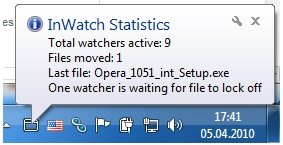
The application also notifies users of each task performed. Pausing the application is done by right clicking on the application’s icon or accessing the program from the system tray.
Some other file organizers we reviewed earlier include free file organizer, and free file classification software.
InWatch is clearly the ideal software for people who have a cluttered desktop and manually storing files is something not relished. This unique file managing or file sorting software is a must for busy people.
Download InWatch Free. [via AddictiveTips].
