Deskzilla Lite is a desktop client for Bugzilla and its bug tracking system which has an interactive working environment with a support to download bugs and to work offline. Most importantly Deskzilla Lite is a free to use application.
Customarily users have to stay online to work with Bugzilla. This causes huge inconvenience when you are traveling or when you can’t access internet.
But using Deskzilla you can work anytime anyplace without any hindrances to your project. People can also think of this software as “offline Bugzilla”. People looking for some useful programming tools can try PHP IDE, Free XML Editor, and visual file comparison software.
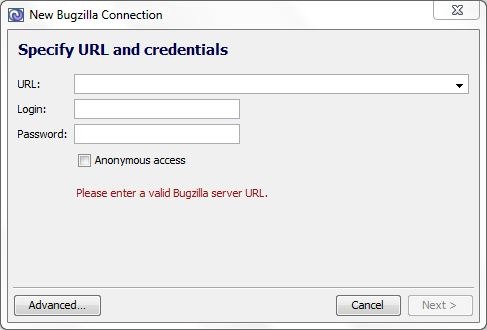
Why Deskzilla?
- Always available: Since Deskzilla downloads all the bugs, an active internet connection is not required. You can keep your work running smoothly even when there is a server crash or when you can’t access internet.
- Saves time: Deskzilla has bug tables and searching options using which you can easily navigate to your requirement. This can save you time because navigating online through an array of bugs and waiting for server replies can be quite irksome.
- Interactive interface: Deskzilla boasts an interactive user friendly interface which can help manage and coordinate the entire work amongst the team. You can easily create new bug, edit existing bugs and save them locally or upload them to the server directly.
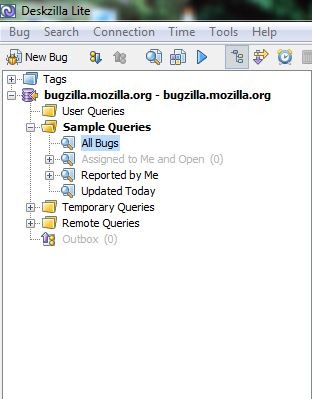
How Deskzilla works?
Deskzilla downloads bugs from Bugzilla and stores them in a local database. At any time you can view, edit and upload the bugs back to Bugzilla. The communication between Deskzilla and Bugzilla happens in a standard HTTP/HTML/XML connection. Deskzilla automatically downloads changes from Bugzilla so that the local database is always up to date. A newly created bug or edited bug is uploaded immediately back to Bugzilla. But for some reasons if this cannot happen, then Deskzilla will upload them later. All in all Deskzilla performs the function of your browser when you work with Bugzilla but with additional features for the user like offline working ability, searching bugs and above all being faster than your browser!
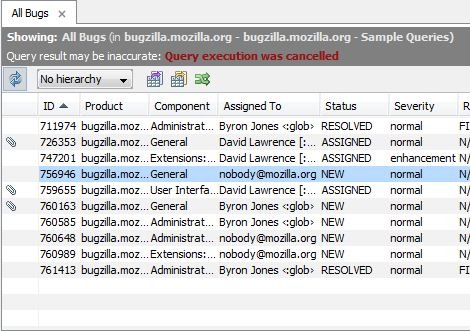
Deskzilla is a cool and handy desktop client for Bugzilla. It has many advantages over the customary methods of accessing Bugzilla. Deskzilla installs smoothly and works efficiently without any problems. It is highly recommended for all Bugzilla users. You are sure to have a pleasant experience with Deskzilla.
