New Tab King is a simple add-on for Firefox which gives your Firefox tab a completely new style and look. It enhances new tab page of Firefox by showing you most visited sites, modify colors of new tab page, and adds a search bar to the new tab page.
Opening new tab in Firefox is dull as nothing is displayed in the new Firefox tab. But with the New Tab King, Firefox gets more powerful and useful for the user.
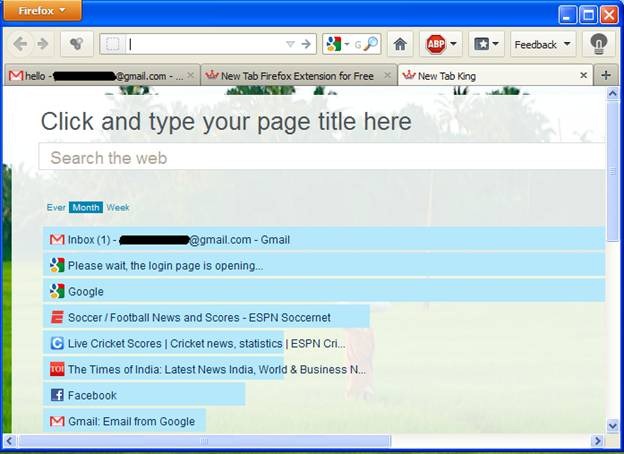
Features Of New Tab King To Enhance Firefox Tab:
- The main feature of the New Tab King is to display a Firefox tab which will be more colorful, useful, and more vibrant for the user.
- After opening a new tab in your browser, you will be displayed with the most visited sites, and number of times you have visited a website in a hierarchical manner, and this is just the beginning of the usefulness of this add-on.
- After moving the mouse cursor on a particular site, you can see similar kinds of sites and also rename it.
- If you want to remove the reference of a particular website, you can also do that with the help a cross icon, which is present in the add-on.
- Weekly, monthly, and all the websites you have ever visited are also displayed.
- The background color of the display can also be changed using a control, which is found under the tab.
- The view can also be changed as a thumbnail.
New Tab King can be started with the help of a shortcut. To achieve this, click on the configuration options, from there click on the Apps Shortcuts. Also, check out Price check add-on for Firefox.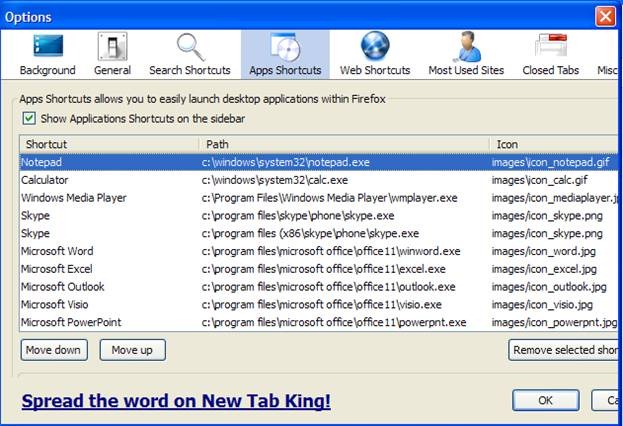
To summarize the features that New Tab King contains, most visited websites and number of visits, application shortcuts, give your tab a new look, zooming in and zooming out capability and lastly, good searching facility.
You would also like to check out Mapping tool add-on for Firefox.
Download and Installation Of New Tab King To Enhance Firefox Tab:
- Since New Tab King is an add-on, you need to go to the website, and after that click on the “Download”. Firefox will ask your permission for downloading the add-on.

- The browser will show the security risk, and frankly it is shown for all add-ons. After this, the downloading process starts and is like:
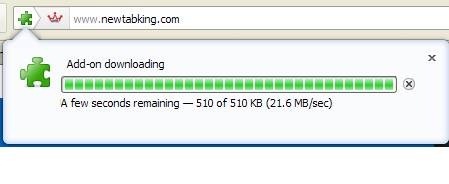
- After completion of the above steps, you need to restart your browser to fully incorporate the features of this add-on.
To conclude, this is a nice looking add-on with great features, which I will suggest you for one time use. If you feel that you don’t need these features then you can easily remove the add-on from the browser. It doesn’t slow down your browser at all. Try New Tab King here.
