Update 2022: This website no longer exists now. We recommend you to try some other alternative instead.
BitDefender Safego is a free web app that is created to scan your Twitter user account and detect scams, spam and other e-threats. It also keeps you abreast with your personal information exposure. Basically, it scans URLs using Bitdefender antimalware and antiphishing engines.
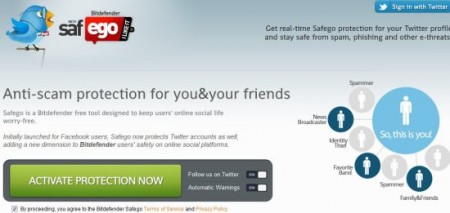
In our earlier article we covered BitDefender Safego for Facebook and now the website also provides support for your Twitter account. BitDefender Safego checks the accounts you are following as well as checks unknown users before you follow them, and keeps your Twitter account safe by doing this. In addition, it also keeps you safe by scanning messages, to check spam messages, links to sites containing malware or high-jacking attempts. It, generally, posts comments to the scanned messages or posts that are likely to pose any security risk.
We can not ignore the fact that the popularity of Social Networks have been increasing over the period of time. This increasing popularity has caused to become the target of aggressive spam and massive malware distribution. Bitdefender Safego app is especially designed to protect the online networking members from various e-threats and spam.
Once you get it installed, Bitdefender Safego works 24 x 7 and protects your Twitter account all day and all night. Those who want to take a look at how BitDefender Safego works or what exactly is happening in your account at some specific time, the app features a Button that indicates “Scan Now” which helps you double-check.
In order to get rid of those infections which are detected by Bitdefender Safego, you need to click on “Delete” button that you will find as soon as you get a list of detected threats which is available in the Infected Items section of the interface. Once you click on delete button, it will immediately eliminate all the pests detected, keeping your account safe again.
Besides, BitDefender Safego includes a privacy protection feature that warns you in case your public profile contains private data that can be viewed easily by people who are not in your Twitter contacts list. It gives you a list of categories including such vulnerable private information, displayed in the Privacy section of the interface so that you can adjust your profile’s privacy settings accordingly.
However, in order to get access to BitDefender Safego, you need to give a few seconds to install it.
Here is how to get started with BitDefender Safego:
- Go onto the website
- Click on sign in with Twitter
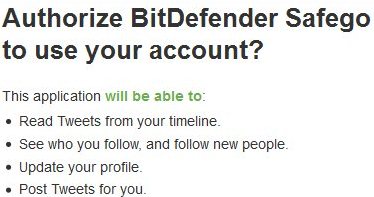
- You will be asked for authorization by entering your Twitter account ID and password:
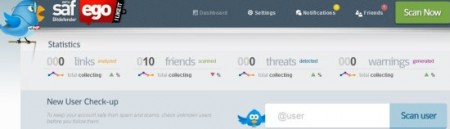
- Once you sign in BitDefender Safego will start scanning your Twitter account. Here is what a scanned page would look like.
In short, BitDefender Safego is a marvelous tool that helps to detect spam, scams or any other e-threat, thereby keeping your account safe. so go ahead and try it right away.
