Trout is a simple, easy to use, free music player that is rich in features and supports almost all audio formats. It does not eat much space in your PC and is faster than any other free music player. The audio formats supported by Trout are FLAC, WMP, WMA, WMV, MID, ASF, RMI, MIDI, WV, KAR, AAC, WVC, M4A, MP4, M4P, M4B, AC3, APE, TTA, SPX, OFR, ALAC, MPC. You just need to load the audio file that you want to play and click on the play button. Thus, Trout is a player to play virtually all the audio files which you wish to be played on your computer. This free audio player comes with drag-n-drop support so all you have to do is open the player and drag the file you want to play in the main window.
Installation of this free music player
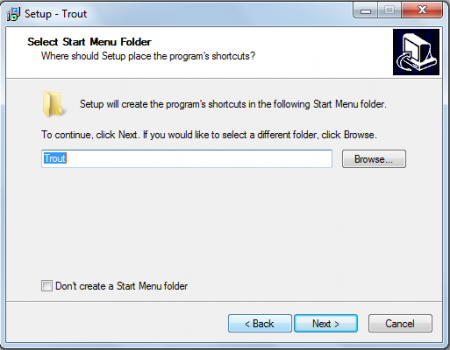
Installing this free audio player is simple and similar to any other software that you use on your PC. You need to go here and click on the download button. A .exe file will be downloaded and you just need to click on this file to start the installation. Then the usual installation process is followed and you need to click on the next button and finish the installation. Once the player is installed you can start using it and play your favourite audio files. If you are interested to check out some more audio player, you can try Lyricist, CrystalWolf Audio Player and Boom Player.
Interface of Trout
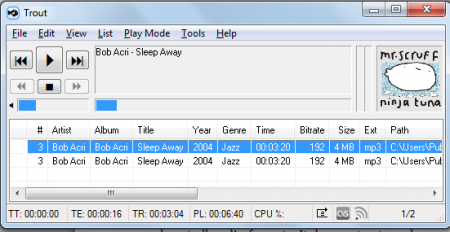
This free music player has a very clear interface that is different from other audio players. You can find all the options in the header of the player that helps you customize the player according to your requirements. The name of the song being played can be seen in a screen at the bottom that shows the name of the artist, album, year, genre, time, bitrate, size, ext., and the path. It does not have any equalizer option but is a very flexible player that does not use much CPU space.
Using this free music player
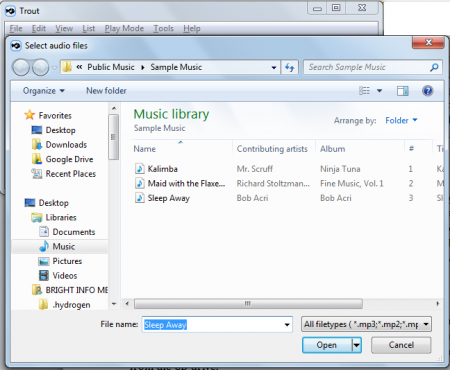
Using the player does not require any technical expertise. You just need to go to the files option at the top and add the files or the folder that you want to play. You can even add a song by inserting a url. In the files menu you can also find an option to play audio files from the CD drive.
Near the files menu there is the edit option, here you can find a specific track from the list of songs in the audio player. You can even select the songs or remove them from the playlist. Through the edit drop down menu you can even go to the location of the specific audio track.
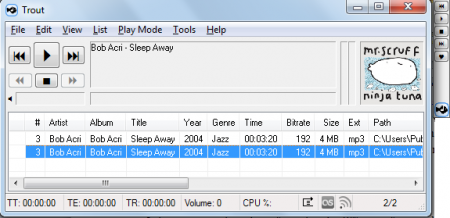
Then there is the view option where you can select the columns that you want in your player. If you want to change the look or size of the Trout player then you can show minibar (horizontal) or show minibar (vertical). You can also click on the show lyrics window to see the lyrics of the audio file being played. The list option helps you to remove the track after playback or get an audible notification on any new track.
There is also the play mode menu that helps you to make changes in your playlist. You can use it to repeat the list or shuffle. The main screen of the audio player has minimal options. There is only the play, pause, stop and forward option on the main screen.
To make other changes in the audio player you can go to the options menu in the tools drop down menu. In this you can make some general changes in the system tray, tags, as well as the drop options. You can choose the font and colour that you want in your audio player. There is the string formatting option that helps you to make changes in seekbar and the title bar. You can also set hotkeys and with the help of toaster option you can change the effects in the audio player. Trout is a user friendly audio player is easy to use and makes sure that you can configure the player according to your choice.
