J3DWorkbench is a free runtime framework application based on Java 3d that helps you to create 3D objects. You can deliver stunning 3D simulations, games and visualizations with this free 3D modeling application. You can import or create 3D scenes and objects of various formats and animate them with this freeware. After adding behaviors and effects to them, you can play those simulations and screens directly with the free 3D visualization tool. You can directly deliver them to a web page by HTTP with Java Webstart and it doesn’t require any programming.
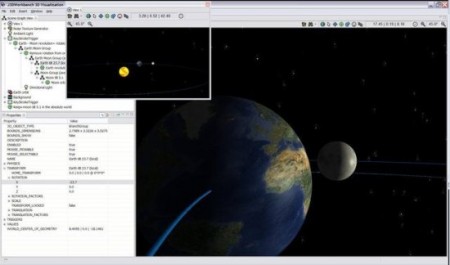
This free 3D modeling software supports drag and drop interface so you can just drag any 3D objects or scenes and start editing it in J3DWorkbench. You will be able to work with J3DWorkbench easily as it offers autosensing mouse controls. This free 3D visualization software supports 3DS, LWO, DXF, DEM, OBJ formats. You can create animation with these imported 3D objects or scenes or create games if you want. You can add noise textures like water, smoke or fire in your animation.
This free 3D modeling software comes with a user-friendly interface and requires Java 1.6 or higher. You can view finished 3D scenes using core binaries with Webstart. The latest version of J3DWorkbench includes regression fixes and Java API logging. As there is no programming knowledge required, you can try this WYSIWYG tool by yourself for creating 3D objects or scene or for editing already created 3D objects or scenes. It can detect collision automatically and avoid it if you want. This free 3D modeling software is available for multiplatform so you don’t have to worry about its requirements.
If you are looking for good 3D rendering software, you can try MachStudio Pro 2, Post3D and MeshCreator reviewed by us.
Features of J3DWorkbench:
- Create or Import 3D Scenes and Objects in standard formats
- Animate 3D objects or add behaviors and effects
- Play 3D scenes directly with Java Webstart
- Drag and Drop Interface
- Supports 3DS, DEM, DXF, OBJ and LWO format
- Available for Windows, Mac OS X and Linux
J3DWorkbench is available for download at Eclectic3d’s official website. It’s only 25.5MB in size and supports Windows, Mac OS X and Linux. Try J3DWorkbench Free.
