ImageSnatcher is a free application that capture screenshots and helps you to upload them on fly. Screenshots are the best tool for teaching, and is used heavily on the websites, blogs etc. Taking screenshot has always been easy but the quality and the size of the image differs. There are also many software on the internet with which you can take screenshots in an easy and simple manner. Using the ImageSnatcher can help you to upload images on the web very quickly. This feature makes the ImageSnatcher an unique software, and is considered as one of the best image capturing tool.
Update: (July 19, 2013) The site is currently not opening. The server might be under maintenance or the site might be experiencing heavy load. You can check it after 2-3 days.
Download Image Snatcher to capture screenshots:
Use the below given link to download the executable file. The size of the file is only 500kb. This is a portable software, which means that there are no installation headaches. Just download it and start using it. To make use of the software double click on the executable file (see the screenshot below).

How to Use:
After double clicking on the ImageSnatcher.exe, an image capturing pointer is placed with which you need to select the space for your screenshot. The selected image space will be frozen and after you leave the mouse, a webpage will be opened where the address and the image will be present. The selected screenshot will be blackened and the coordinates would be seen.
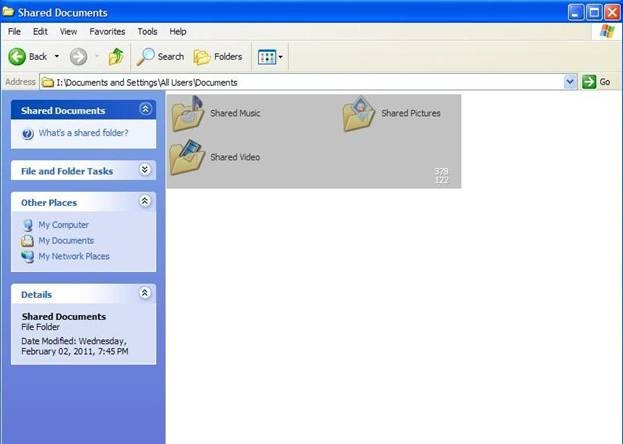
The above is very fast and happens instantaneously. The screenshot that you have captured will be first processed by the ImageSnatcher software and then it will be uploaded on their server.
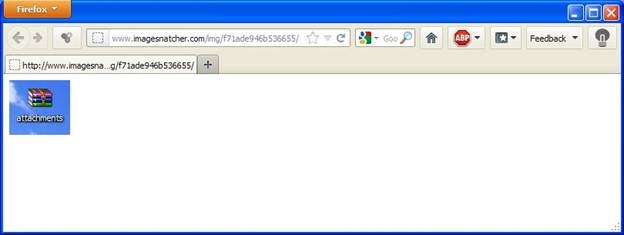
As you can see from the above link that an address has been generated and the image can also be seen and the address is unique. The most important part of this is its address, which can be used to share the screenshots with your friends, family or community members. Just provide the link on the website or the blog and the job is finished.
This software is available for Windows as well for Mac OS X. The Linux version is yet to be released but according to the website it is going to be launched very soon.
The premium version of this software is also available, but you need to pay extra for that service. The software is completely free of cost and has no additional charges.
Also note that in the free version of this software, the URL which is generated automatically doesn’t contain .png extension, but with the premium account this feature will be made available for the user.
The images are generally not deleted, but if the images are considered to be racist, illegal or offensive than website authorities have the full right to delete it. During the server load, the images are also deleted without the consent of the user. It is better to create an account before taking screenshots.
Conclusion:
Using this tool is very easy and simple to capture screenshots. Fortunately, they have only one control to take the screenshot and post it on their server. One important thing to note is if you want to capture screenshots of different folders you can use the “Alt + tab” keys to shuffle through the folders provided that they are already opened.
The only problem, which I find in this software, is that there is no way to delete the screenshot images which the users have taken. It can only be done using the premium account.
ImageSnatcher is a screenshot capturing software but has an added advantage of uploading them on the web at the same time.
