USA Today is a free Windows 8 News app. This News app for Windows 8 keeps you abreast with all the latest news, breaking stories, and happening around USA. The stories have been categorized into six different sections including News, Money, Sports, Life, Tech, and Travel.
You can read large articles in an amazing full-screen mode, view related images, watch News videos, and share latest stories via Share Charm of the Windows 8 (press ‘Win+C’ to get the Search Charm).
This app is available under the ‘News & Weather’ section of Windows 8 App Store.
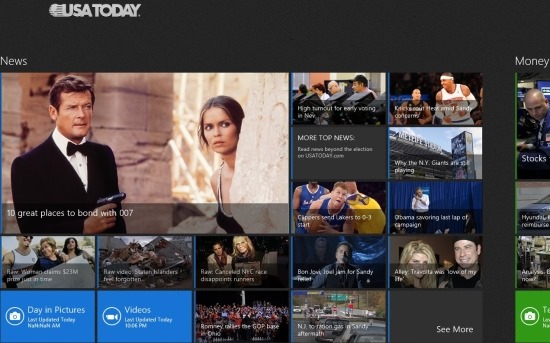
In addition, this News Windows 8 app brings you the updated weather report of USA, given at the top right-side of the screen. You can select a city according to your preferences. Just click on the cloud-like icon to change the city. You can also view the last updated ‘Day In Pictures’, last updated News ‘Videos’, refresh News, change the Font Size of text, ‘Pin To Start’ a specific video, and do many other activities.
What I Liked About USA Today Windows 8 News App..
What I really found interesting in this Windows 8 News app is its amazing column-based interface. As you open the USA Today app, you will find ‘News’ category at the foremost column, followed by Money, Sports, Life, Tech, and Travel. In order to view all the categories, you need to scroll towards the right (using the mouse wheel or the horizontal bar). Each category comes up with a number of tiles having different story in each tile. To view more such stories (related to a particular category), you need to click on ‘See More’ option given as a last tile in each category.
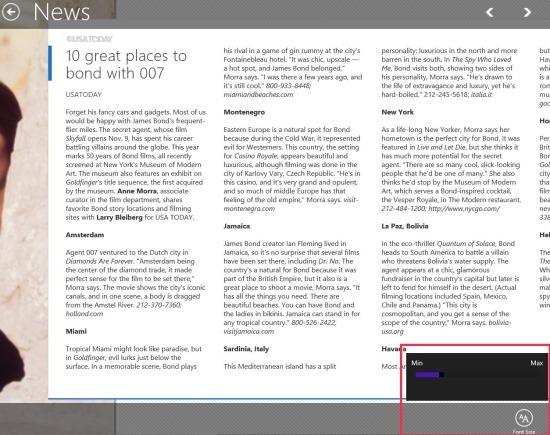
Click on a News that you want to read further or in detail. This will bring you the entire text along with a related picture, in a full-screen mode. To change the Font-Size → right-click on the screen to open the horizontal panel → click on the ‘Font Size’ option given in the horizontal panel → maximize or minimize as much as you want.
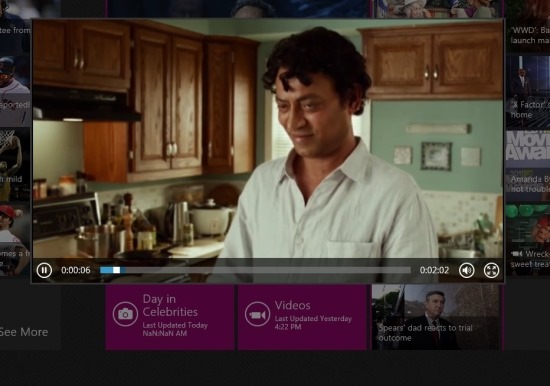
Also, you can view photos related to a particular category, watch related videos. Yup.. each category brings you a separate tile for watching related videos or viewing related photos. It’s really fun reading USA News in such a way (big full-screen mode). Let me quickly summarize the key features of this News app for Windows 8 below.
For other platforms, you can check out Online News Aggregator, and News Reader App For Android.
Features Of USA Today App:
- Keeps you abreast with all the latest stories, and happening around the USA.
- There are six different sections including News, Money, Sports, Life, Tech, and Travel.
- Lets you read articles in an amazing full-screen mode, view related images, watch related videos, etc.

- Lets you share the latest stories via Share Charm of Windows 8.
- It also lets you read day’s best News, view current weather of a specific country.
- It’s a free Windows 8 app
What I did not Like in USA Today App of Windows 8
The only thing that disappointed me through the testing of this app was the lack of live tile option. Live Tile, basically, brings you the breaking News, right on the tile of the app, placed on Windows 8 Start Menu screen. There is no ‘Live Tile’ option in this USA Today. Nonetheless, the rest of the features are just so remarkable. It’s a good app for people who want to track USA News.
Do not miss out our post on more Windows 8 apps: Windows 8 Weather App, Windows 8 RSS Reader App, Windows 8 PDF Reader App.
How To Install USA Today In Windows 8:
- Go to the Windows 8 store, press ‘Win+Q’ to open Search charm, and type “USA Today”.
- Proceed further with the on-screen installation steps and soon the app will be yours.
In short, USA Today is an excellent Windows 8 News app that lets you read stories in a more advanced manner. Go ahead and download USA Today now.
