Sketch is a free Android app to draw sketch on Android. This sketch app is a perfect app in Android Market to draw sketch on Android. This Android app is really an intelligent sketch app with multiple options to draw sketch on Android.
Now just use your Android device as your drawing cardboard and draw sketch on your Android anytime and anywhere. This sketch app provides multiple drawing options on Android. Also, this app gives a real feeling of drawing a sketch on Android. You will definitely enjoy drawing sketch more on Android than drawing a sketch on a normal cardboard.

The interface provided by this Sketch app is too awesome to use. As soon as you launch Sketch app on Android, the app will display a blank drawing cardboard type page on which you can draw anything. The app works with finger touch.
You will find all the options to customize your drawing in the toolbar given in the app. Also, the settings menu provided in the app is highly customizable. You can even draw a colorful sketch by multiple color option in the app. The appreciating part of this sketch app is its multiple brush options. All the brushes provided in the app to draw sketch are too awesome.
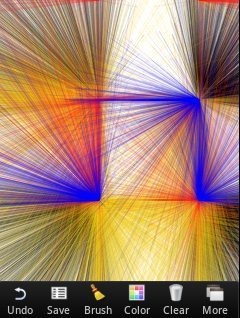
You can also check out some drawing apps for Android reviewed by us.
Some Key Features Of Sketch App To Draw Sketch On Android:
- You can draw sketch of your choice on Android.
- The interface provided by the app is very real.
- The app provides multiple brushes to draw sketch on Android.
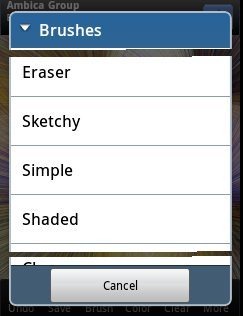
- Select from among multiple colors to make your drawing a colorful one.
- You can undo the last changes made from within the app.
- The app allows you to save your art in SD card directly from SD card.
- You can set your art as your wallpaper directly from the app.
- You can share your art via Bluetooth, Dropbox, Gmail and the like.
- The setting options in the app are highly customizable.
Also, check out Sketch n Draw app for Android reviewed by us.
How To Install Sketch App On Android:
- Open the Barcode Scanner app and scan the QR Code below.

- Don’t have a Barcode Scanner app? Just login to Android Market.
- Type “Sketch Free” in search tab to search for the game in Android Market.
- Install the drawing app by tapping on “Install” option in Android market.
The free Sketch app will be automatically installed. Click here to download Sketch Free app from Android Market. Just install Sketch app on your Android and be a great artist by drawing sketches on Android. Just show your art of drawing sketches to your friends and others.
