Easy Email Extractor is a free tool to extract email addresses from files, folders and even URL’s. People sometime want to extract an email address from an article, webpage or a .csv file. Generally you keep your contacts in various ways. Some online, some offline. If you want to keep your contacts at a single place, the best option is to import the contacts which are online and copy all the contacts from all the contact files you have. If there are more number of files, it can be a hard work to do. So here comes our software, Email extractor. Here, I am talking only about the Email contacts (email addresses) and not the other contacts (phone number, mobile number, etc.).
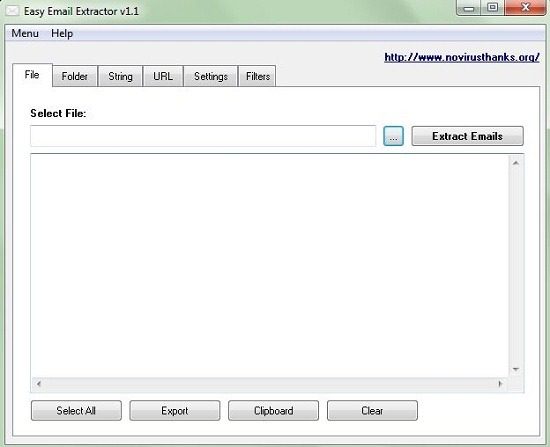
The above screenshot of Email extractor, shows you options for extraction of emails from a file, folder, URL and even a string.
Extraction from a file:
Only .txt, .csv, .html are supported in this software. Its simple, just select your specific file from which you want to extract emails. After selecting your file, just click the extract email button. You will find the emails below. You can copy them and paste them wherever you want. There is a very good option available for this software. You can even export the email in a file format you wish.
Extraction from a folder:
This is a very useful option compared to the previous one. Copy all your files from which you want to extract emails to a folder. Now select the folder and click the scan button. All the emails in the files in the folder comes at a single place. You can copy them or export them.
Extraction from a URL:
One of the best part of this software. Insert a URL of a webpage from which you want to extract emails. You can copy or export the emails as you want.
Extraction from a string:
A string is a collection of words or letters. Type or copy your string into the box below ‘Insert string:’ and click extract emails. It searches for words in the form of [email protected] and displays all the emails in the string. I think that this feature is not so useful as the previous ones.
Key features of this software to extract email :
- Has a wide range of options like extraction from file, folder, URL and string.
- Has filtering feature (You can exclude emails from displaying which contains specific words)
- Direct export option
One thing I would like to suggest is if the developers could include Word and Excel files in the list of supporting files. Then this software would become even more useful.
How to download and install this software to extract email :
Download from the below given link and just run it. That’s it.
Easy Email Extractor is a useful software if you are dealing with a lot of emails and not so useful if there are only a few. Try it out Easy Email Extractor free.
