Note-it is brilliant software, which is used to keep a written record of any important activity that you may want to write down. It’s tiny and very smart, something which assists highly in noting and saving the written things. If you have anything important to note down, Note-it is the perfect platform for doing that.
The software occupies very little screen space and is very convenient to use. It is not like the other notepad software, as it has a much more flexible approach. A lot of features have been incorporated in Note-it, to make it a user’s firm favorite.
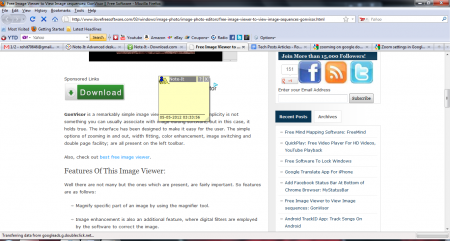
Downloading and Installation of this note taking Software
Note-it can be downloaded from the website of the Veign software company. It gets saved, as a Zip file and is approximately 3 MB in size. It took a fair bit of time for the installation, as the setup process configured my XML. It’s an easy click to launch application software.
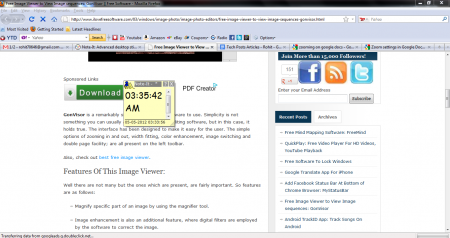
Features of this note taking Software
- A single file can be used to keep track of multiple notes.
- Drag and Drop feature is present. If you want to append a link to your note, you just have to drag and place it in the note-it software window.
- Hyperlinks and URL’s are detected.
- Images can be saved with the drag and drop feature.
- Spell check and text formatting facilities are provided.
- Information of the system such as computer memory and drive information is presented.
- Note can be merged or aligned with the background.
- Time, Alarms, RSS feed and Stocks; everything can be added to a note too!
- A special feature of Multi-Note is present.
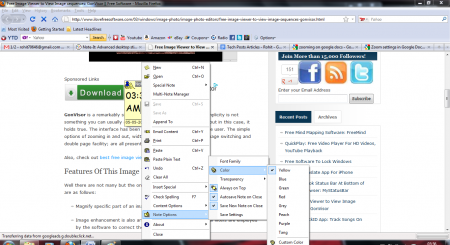
The simplicity and effectiveness of Note-It
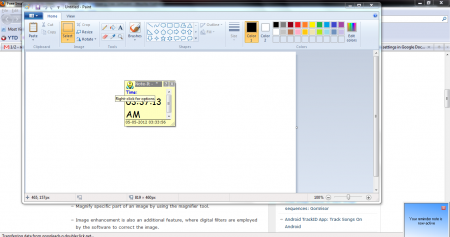
Note-It has a very simple interface, which is packed with the best possible features. You can open a note and add plain text, images, URL’s, hyperlinks or just anything that you may wish to! The interface acquires hardly any space on the screen and the best part is that, its movable.
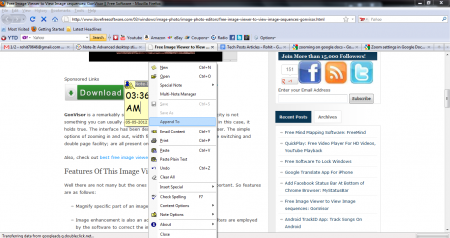
You can append your existing note to another file, Email the content of the note, Paste the content and even insert special symbols. You can change the font size of the words and even the paragraph alignment! In a way, it’s just like miniature version of MS Word. With respect to the note, you can change the Font Family, Background Color and the Transparency of the software. You can even set alarms and reminders to help you keep track of your things better.
Final Verdict on the Software
Note-It is one of the best noting software available across the web. It assists you in noting down things without the tedious task of switching from your application. The only flip side would be that the reminder feature does need some sort of minor improvement. The reminder schedule must be able to plan tasks for upcoming days as well, rather than the current feature of setting reminders for the current day. Note-It is one of the excellent note taking software available to you, which are simple, dynamic and very efficient. I would definitely give the software, thumbs up from my side.
