Google Page Speed is a popular tool from Google that analyzes website performance, and gives improvement suggestions. Earlier it was available as a Firefox extension that was used in conjunction with Firebug. Now Google has launched an online version of Page Speed, aptly called Page Speed online.
Using this free online version of Google Page Speed, you can analyze performance of any website or web page online, without a need to download any extension / plugin. Google Page Speed online is available here.
How to Use Google Page Speed Online
It is extremely easy to use Google Page Speed online. Navigate to the URL I mentioned earlier. Then just enter the URL of the website or web page for which you analyze performance, and click on “Analyze Performance” button.
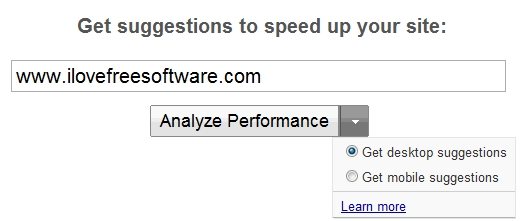
This will analyze that web page, and show performance results. You can choose to analyze the results for desktop version, or mobile version.
The results first shows an overall page score out of 100. The higher the score, the more optimized website already is. I saw that most of the fast performing websites get a score between 80-85. This website also got a score of 85. Sweet :)
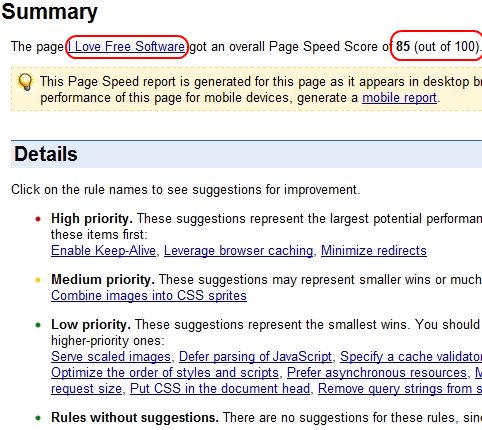
After overall page score, it shows improvement suggestions. The improvement suggestions are divided into high priority, medium priority, and low priority. You should start by implementing the suggestions under High priority list, as that will give most performance improvement. After that, you can move over to medium priority, and low priority.
In my case, most of the suggestions were for the advertiser files, as some advertisers download tons of files, and might not optimize them much. I wish I could do something about that. Also check out tools to check website performance from multiple locations, and website uptime monitoring services.
I have been a big fan of Google Page Speed, and used it heavily earlier to optimize my website. I am really glad Google has came up with this online version of Page Speed now. This is really helpful, and handy. One of the biggest advantage is that now you can run Google Page Speed in Internet Explorer, as earlier plugins worked in Firefox and Chrome only. Check it out :)
