SketchMee Lite HD is a free sketch app for iPad to sketch images on iPad. This iPad sketch app is specially designed to edit the images in such a way that they look like sketches. The iPad Sketch app has multiple sketch effects.
The app includes multiple techniques of pencils and chalk, multiple paper type, Paper color, and the like. You can even adjust the intensity and tip of the sketch. It looks really awesome when you see your original image in the form of sketch on iPad.
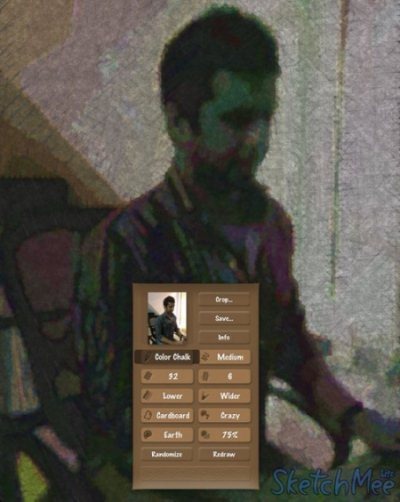
One of the interesting feature of this iPad sketch app is its randomize option available. You can easily give different sketch effects with one tap on your iPad. You can even redraw the sketch of the images.
The app is simple and easy to use. Just launch the app, import an image from your iPad photo gallery and you are ready to start sketching.
The only part which I didn’t like about this iPad sketch app is its image saving option. You can’t save the sketch created in the photo gallery of your iPad. You can only share the sketch via email, Facebook, and Twitter.
You can also check out Android Sketch app reviewed by us.
Some Key Features Of SketchMee Lite iPad Sketch App:
- Create sketches out of images on your iPad.
- Multiple sketch effects in the app.
- Multiple pencils, chalk, multiple paper type, Paper colors, and the like.
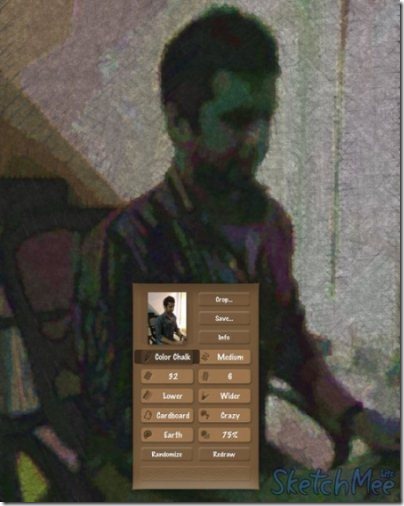
- Redraw the sketch from the app.
- Smart randomize option in the app.
- Share the created sketch via email, Facebook, or Twitter.
- Adjust the size of created sketch before sharing it.
- Crop the created sketch.
What I Didn’t Like About The App:
- Can’t save the image sketch in iPad photo gallery.
- Limited sharing option.
- No undo option available.
Check out drawing apps for iPhone reviewed by us.
How To Install SketchMee Lite HD App On iPad:
Install this app by just scanning the QR code below. If you don’t have a Barcode reader app, you can search for the app name in App store, or just click here to download this app.
The free iPad Sketch app will be automatically installed.
Easily sketch images on iPad and create your own masterpiece by displaying one single image in different sketch types. Try out this free sketch app for iPad.
