Kodu is a free software from Microsoft that lets you create games for Xbox 360 for free. You can use Kodu from your Xbox 360, or even your PC. So, you can create Xbox 360 games using Kodu even if you don’t have Xbox.
I had earlier reviewed a free video games creation software called Game Maker that lets you create games for your PC. Kodu does the same for Xbox 360.
Even though creating games sounds a pretty complex activity, Microsoft has made that a really simple task with Kodu. In fact, Kodu is so simple to use that lot of kids around the world are using it to create games for themselves, and for sharing with friends.
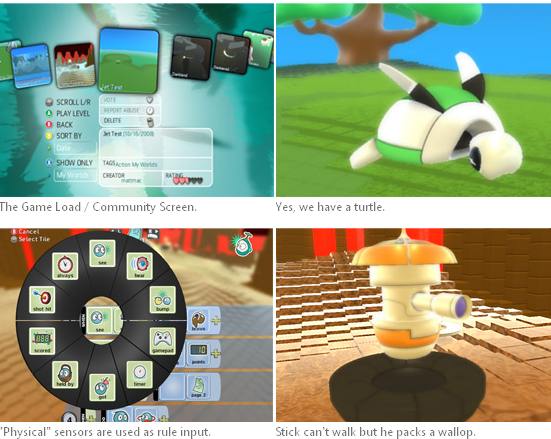
Kodu works using a Visual programming language. Everything is icon based, so you do not have to write any code. You create terrains and all type of worlds using visual tools. Then, you can use from one of the many characters that are available.[subscribe-to-us]
Kodu breaks programs into pages, which are further broken down into rules. You further break the rules in terms of conditions, and actions that need to be taken on those conditions. The whole programming is done visually, so that you see exactly what is being created. You can test your game at any time to see the outcome.
Kodu is really simple and very effective. Kodu empowers everyone to turn their creativity into innovative games for their Xbox 360.