Font Viewer is one of the powerful free font managers which allows you to view and arrange a complete range of fonts installed in your system so that you can apply the desired font to any text. This eliminates the need of opening each and every font file to check it out when you have a number of fonts installed in your system. This free font manager lets you check out different font styles at a single interface thus making your task less time-consuming and easy.
Interface of this free font manager
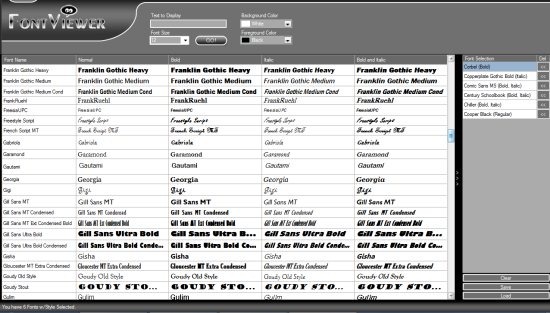
The interface of Font Viewer is clean and intuitive thus offering ease of access to both beginners and sophisticated users. It’s well organized with a grid view which lets you display the desired font in not only different font styles but also with a choice of sizes, background color, foreground color and styles. On the right, is a panel where you can create a desired list of fonts and store them in an accessible format. All the tasks are performed on just a single click thus making the operations completely simple.
Key Features of free Font Manager
- Font Viewer font manager gives you a quick overview of all the installed fonts in your system thus, bringing them at one place together.
- You can view a particular text in different font styles, formats and sizes just to make sure which would fit your needs.
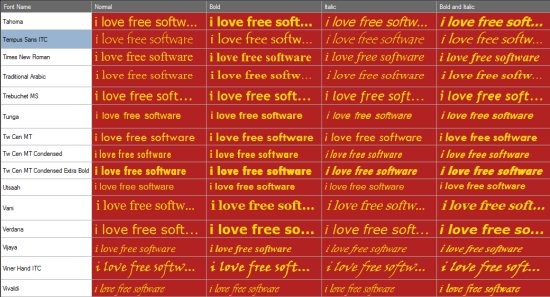
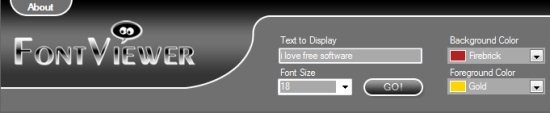
- You can also adjust the foreground and background color for the text to be displayed.
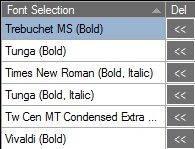
- The selected fonts can also be saved to a text file (.txt) or FontViewer file (.fv). In addition, your font list can also be exported to a PDF file with all the settings and styles visible.
Software Requirements
Font Viewer free font manager requires Microsoft .NET Framework version 2.0 or higher to function.
Comparison with other Font Managers
Font Viewer lacks in functionality when compared to other Font Managers. For instance, AMP Font viewer which is also a freeware comes with more powerful functionalities as it also gives you the choice of organizing fonts in different categories or installing new fonts, uninstalling them and others. However, Font Viewer free font manager is suited best for those who are completely new to this and need to carry out simple tasks. It’s interface is easy to understand and the tasks are a breeze to perform.
Verdict
If you are looking for a simple solution to boost your productivity when it comes to font management, then Font Viewer is a must-have application. The application can be much better if more functionalities are added to the same. The interface is quite impressive and clean thus giving you a good experience. Since it costs you nothing and does not require to have expertise in the same, you can definitely give this software a try if you are involved in much of the word processing applications and others. Besides, its small size also does not occupy much space on your disk. So Font Viewer Free Font manager is definitely worth a try!
