Editor Ratings:
User Ratings:
[Total: 0 Average: 0]
WallMagician is a free desktop wallpaper manager for Windows and is very useful when you want to manage the changes in your wallpaper from time to time. It gives your desktop a new look altogether and hence gives you manifold benefits in choosing the right wallpaper for your desktop.

Lets look at some features of this Free Desktop Wallpaper Manager:
- You can categorize the wallpapers into “lists”. Every list has got the potential of having unlimited number of wallpapers.
- It gives support for drag and drop operations. So you can drag any folder or images from your desktop into the list, and there the images will remain.
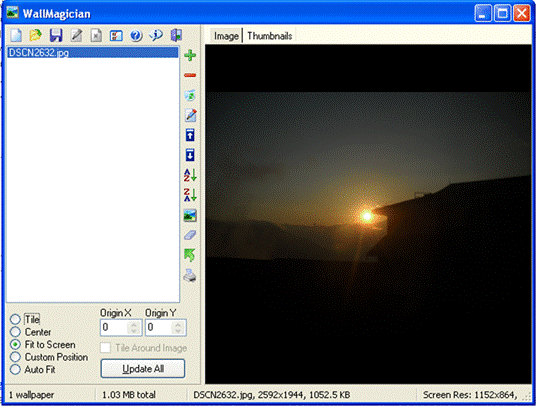
- You can also stretch each and every image that you want to select as your wallpaper but the image quality remains intact. There are also few options for such images stretching.
- There is also provision for you to print the thumbnails easily with the help of a printer. You can also print preview.
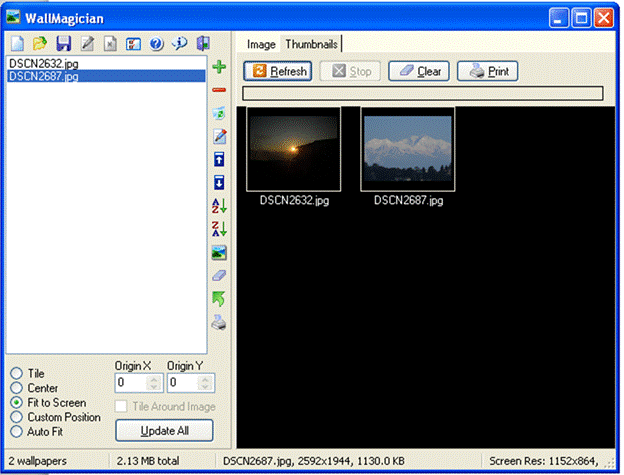
- You can switch to 2 types of views- either in list or in thumbnails. Both of them give you same set of options in a different manner.
- You can remove all the unwanted files to the recycle bin and can also delete them permanently.
- You can also rename the files at your choice.
- All of the wallpapers can be customized to have its appropriate wallpaper style.
- The wallpaper selection can be random and that frees you from a lot of headache of choosing and changing wallpapers.
- Incase the screensaver is turned on then the change of the wallpaper can be stopped.
- It supports a lot of image formats. In fact, most of the common image formats like png, psd and even some uncommon ones are also supported by this software.
- You can also play sounds when the wallpaper is changed. However, the sound file must be in WAV format only.
- You can also prepare reports on the thumbnails and can store them in PDF or HTML view.
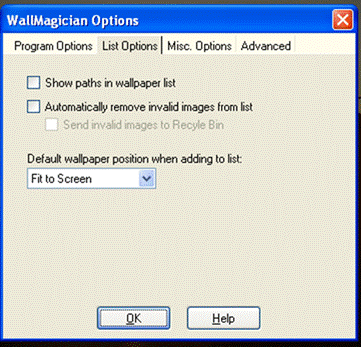
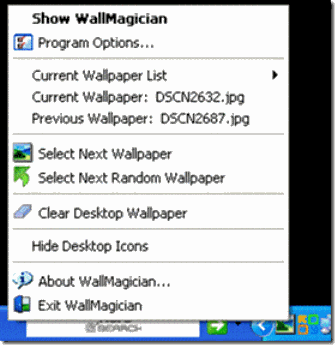
- There are also many other options available. Only you have to go to the program options tab in the system tray icon.
How to Download this Free Desktop Wallpaper Manager:
Downloading this Free Desktop Wallpaper Manager software is very simple.
- Go to the website.
- Scroll to the end of the page. Look for the download link which says “click here”.
- When you click the link, an exe file gets downloaded to your system.
- Run the exe file to install the software.
WallMagician is a nice, free desktop wallpaper manager software to have on your system, if you enjoy seeing a new look for your computer every day. So it is quite recommended for those who have not used it yet.
