MyOtherDrive is a great platform to create online backups and share content online with friends. Whether you wish to use this service for your personal needs or seek a solution for your business needs, this is something which will offer you great features. Depending upon the package you sign up for, you have access to some of its cool features.
Getting started with MyOtherDrive
To get started with MyOtherDrive, you need to sign up for an account. There are basically 3 types of account you can sign up for:
Free- For this account, you are charged nothing as it’s absolutely free. However, there are some limitations of this account, for instance you have a storage space of only 2GB and it does not offer file linking. Another major caveat is this account features adware.
Pro- For this account, you are charged $5/month and you can avail a storage space of 100GB per month. This type of account is free from ads.
Enterprise- For this account, you are charged $240/year and you can avail a storage space of 1TB per month. This type of account is also free from ads.
Some common features present in all the accounts are unmetered bandwidth, backup, encryption and file linking (Pro and Enterprise account).
Using MyOtherDrive to share and backup data
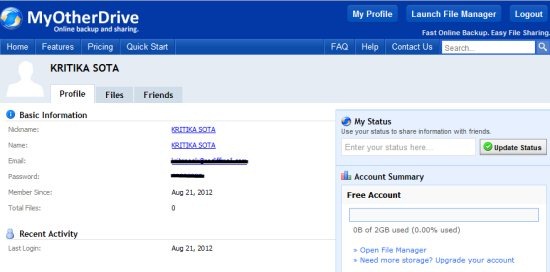
The above snapshot shows the interface when you login with your credentials after signing up with MyOtherDrive. The ‘Profile’ tab displays all your basic account information including the space used in your account, your email with which you are registered and recent activity.
Clicking on the ‘Files’ tab lets you avail the major features of your account:
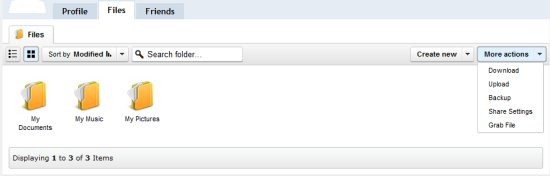
As you can see in the above snapshot, lots of functions can be performed such as download, upload, backup, sharing and grab file. By default, there are three folders already present: ‘My Documents’, ‘My Music’ and ‘My Pictures’. You can add files to any of these folders or create a new folder by clicking on ‘create new’ next to ‘more actions’.
To perform any action such as upload, download etc. you need to click on the particular action listed in ‘more actions’. The following window is launched:
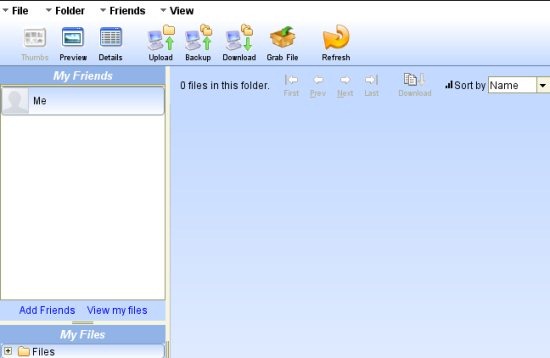
Whatever, action you choose the above window is launched. To upload a file, all you need to do is click on the particular icon on the toolbar.
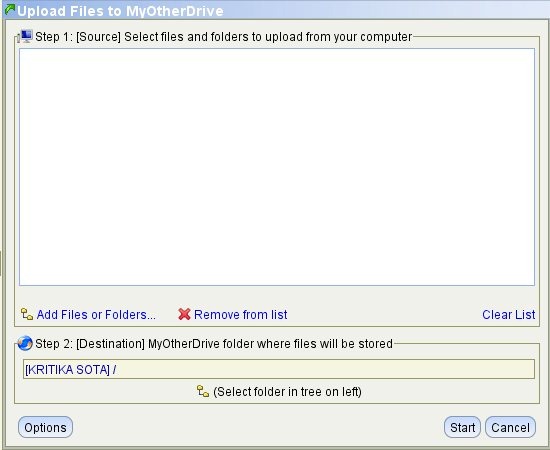
The next step is specify the files or folders which need to be uploaded and the destination. Once you are done, you need to hit ‘Start’. We uploaded a file named ‘CAT.docx’. The snapshot below shows the interface after we uploaded the file:
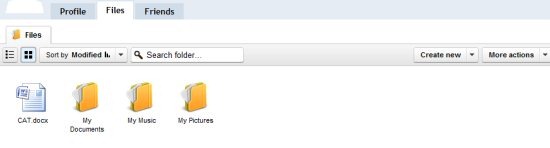
Accordingly, you can share the file with your friends, family or anyone!
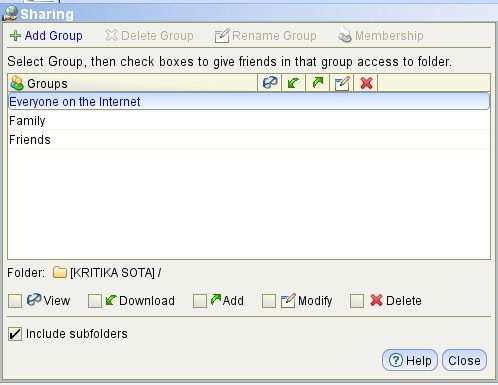
Similarly, you can even download files and also create backups. Any action is completed in just a few mouse clicks.
What’s different in MyOtherDrive?
- You can backup mutiple computers without paying any price. Thus, if you are using this account for your enterprise, this can be quite beneficial to you as your data is protected. Create different schedules for multiple computers. You can choose automatic backup to save your time.
- MyOtherDrive also assures you of security if you are backing up critical and confidential data. All you need to do is mark the specific folders for encryption and whatever files stored in it would become AES 128-bit encrypted.
- You can also enjoy file linking available in Pro and Enterprise accounts.
- Grab file is a cool feature that lets you copy a file present on a specific URL to your account.
Verdict
As you can conclude from the features mentioned above, you can certainly try MyOtherDrive as it has lots in store for you for free. Whether you wish to use it on an individual basis or your organization, you can give it a try.
Download MyOtherDrive for free!
