Editor Ratings:
User Ratings:
[Total: 0 Average: 0]
UnifyPhotos is an online application that lets you transfer photos from your Flickr account to Facebook without having any problem. It is completely free, and you will always find it to be very much useful. This app is for all those people who want to transfer photos from their Flickr account to an album in Facebook.
Lets look at some features of UnifyPhotos:
- UnifyPhotos does not need any download. Only you need a Flickr account and Facebook account.
- UnifyPhotos does not upload any photos from your desktop, but only moves photo from Flickr to Facebook. However, while transferring they also upload photo from the Flickr account.
- It requires permission from both the accounts to post or transfer any content in those accounts.
- It completely transfers a set from Flickr to Facebook but cannot deal with any single photo in Flickr.
- It is completely free and does not take any charge for such service.
- The main motive of UnifyPhotos is to have unification in photos in both Facebook and Flickr. It does not store any of the photos on your desktop.
- It is very easy to use. Only some steps need to be followed.
How to transfer photos from Flickr to Facebook using this software?
- Now when you want try this application service you need to go to the website.
- There you have to click on the Get Started icon.
- Once you have done that you will be asked to log in with your Facebook account. Thereby it takes permission from you whether the app will be added to your Facebook account.

- After the above step, you need to authenticate your Flickr account for this application.

- When you have, completed that step you need to click on the import photos icon in the application website in order to show sets from Flickr.

- You have to select the specific set that you want to transfer to the Facebook account.
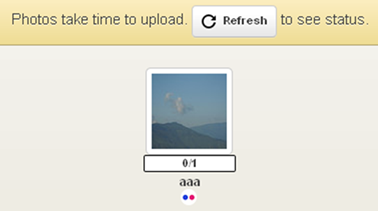
- Once you have done that the application will show the upload status of the photos that you are transferring.
UnifyPhotos is capable of being a very useful software for transferring photos from Flickr to Facebook. One can always have a go at this software for sure.
