Muze Jolt previously known as Muze is similar to the internet browsers that you might be using. You can use this web browser to browse the internet and open your favorite sites when you want. People can click on the Download Energy logo to see several options to download application. Along with address bar there is also a search option which helps you to search everything you want over the internet. You may even call it a web browser combined with a search engine. Muze Jolt runs nicely on windows 7 and windows 8.
Installing this free web browser
To install Muze Jolt web browser you need to visit here and click on download. It is free and very easy to install. Once you click on download the .exe file gets downloaded. Click on .exe file and follow the simple installation process by clicking on the next button. Once the installation is finished you can launch the web browser and start using it. You can also try Epic Browser, Tweens Browser and SRWare reviewed by us.
User Interface of Muze Jolt
The Muze Jolt browser is similar to the browsers that we have been using. It has a simple user interface and comes trimmed to attract you as a internet surfer. If you have been using the Internet explorer or Mozilla then you will not face any difficulty in using this web browser. You may find this as a new addition to the browsers already available with colors all over. The web browser comes integrated with an audio player and a video player. You can use its notepad and blogging options as well. But the only drawback is that you cannot view the browser page when the video player or the notepad is open. You need to disable them to view the pages you want.
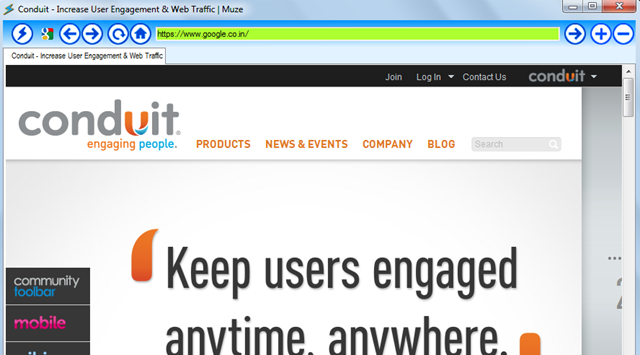
Using Muze Jolt free web browser
Once you open Muze Jolt you can see the address bar at the top and a search box at the middle of the page. As always you find the options of the browser at the top of the window like addition or deletion of a tab or clicking on the homepage button to go to the default homepage. When you open a site for the first time you get an option to set it as your default home page and it depends on you whether you want to change your homepage or not.
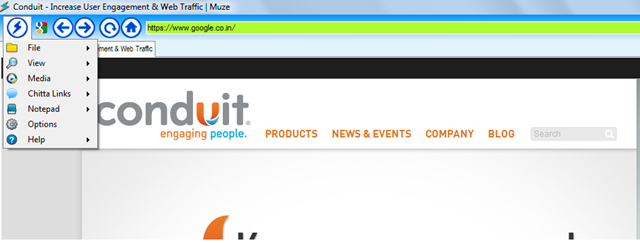
At the top left corner of the page you can see the Muze Jolt icon, clicking on the icon brings a drop down menu with the following options:
-
File
-
View
-
Media
-
Chitta Links
-
Notepad
-
Options
-
Help
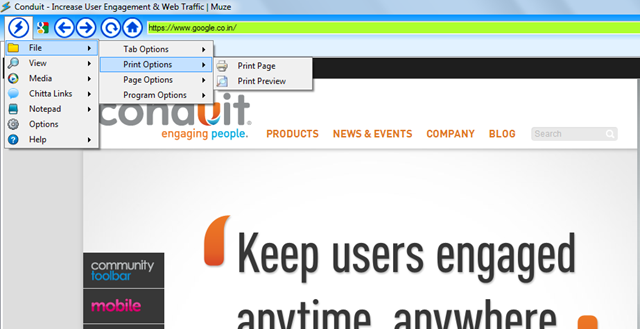
The file option helps you to open an existing file from your computer, print the page, save page or open or close new tabs.
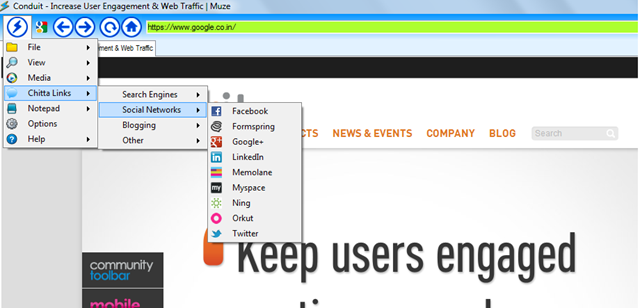
There is the view option which enables you to adjust the zoom feature or adjust transparency. The media option helps you in adjusting the video and audio player. Through the Chitta Links option you can view different search engines, social networking sites and other blogging sites.
The options tab helps you to set the homepage, web page zoom, tab height transparency and check the updates for Muze Jolt. All in all it is a user friendly browser which comes integrated with the search engines and social networking sites.
