PicEdit is a free image editing software which is easy to use and supports editing variety of graphic styles. The software is powerful even though it looks simple to use, it enables you to edit your images and add various changes to it.
Mentioning some of the graphical styles it supports would include the arrows, shapes (rectangle, pentagon, etc), pencil, written text, etc. Moreover, it also comes with several effects which could be processed like the highlighting option, blur effect, increasing/decreasing brightness of the pictures, and much more. You may even watermark your images, crop them or rotate them along with adding some other changes similar to these.
The software may also be used to repeat editing on more than one image, make changes, and obviously let you restore your original image if you wonder you made too many edits to your pics or want the picture back in its original form.
Downloading and installing PicEdit
Visit the link here and you would find the download option on the right side of your browser. Click on it and the download process would start. It would take few minutes before you have the setup downloaded on your system. You just need to run the setup, follow the step by step process and get started with the application.
Using this free image editing software
For all those of you who love playing around with pictures and find it difficult to use the complex software available then PicEdit is something for you. But you can also think about trying ZoomFX and Vimager if you are not satisfied with PicEdit. In order to demonstrate a basic editing to a pic we carry out a sample editing below. It would give you a clearer view of the options you could use with this software and help you in using it to the best capacity.
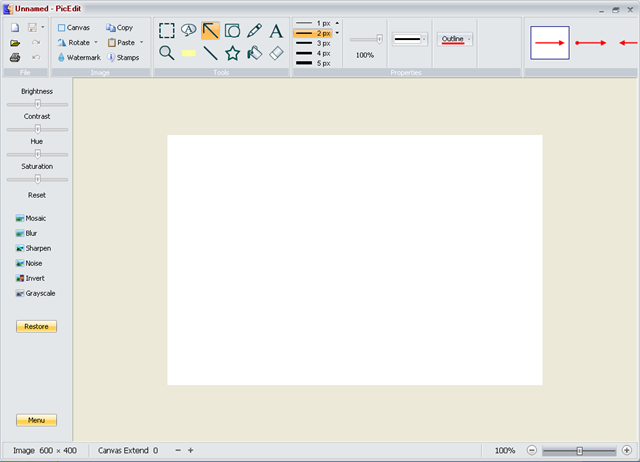
The first step is to open the image you wish to edit by clicking on the open file logo at the top left of the main window. Clicking on the folder as shown below would ask you to browse to the image you wish to download and open it for editing.

Once you open the file you are ready to use all the features this image editing software comes with. For example if you would like to sharpen the image, or apply a grayscale effect to your image you can use the options available of the left side. In case you wish to add a text to your image then click on the Text option at the top of your window. It opens up a new pop up on your screen with the option to select the font, color, and size of your text which you wish to use. You may use the pencil tool to write through your mouse or use the eraser to clean up areas you wish to be removed.
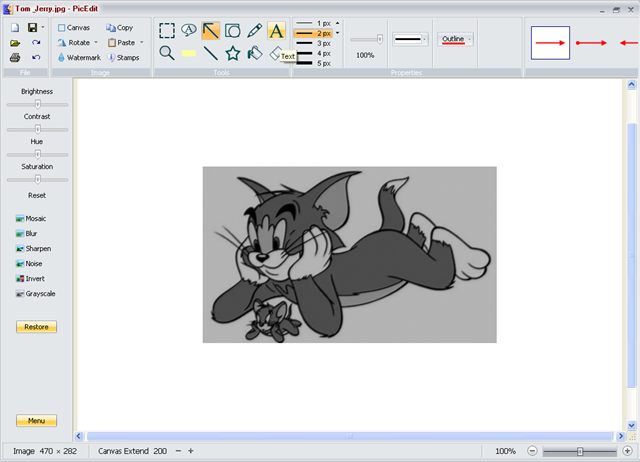
In Case you wish to Watermark the picture you can click on the watermark option on the left side and enable it, entering the Watermarking image in the provided space. For this you would need to browse through your computer and select the image you wish to use as a watermark. There are hosts of other features which you may use with this application and the creativity enhances while you experiment with all the features the tool comes with. In the world of complex image editing software PicEdit comes to be a very handy tool indeed.
