DiskMax is a free system cleaner that cleans your computer in order to speed up your computer. You will see the difference after running this free system utility to improve system performance.
Launching applications can be fun but it leaves a lot of traces on your computer like some temporary files and folders which stay hidden. You need to get rid of them using a free system cleaner soon so that it does not slow down your computer.
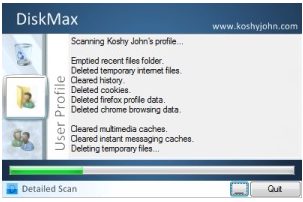
DiskMax is a free system cleaner which removes all these temporary files and junk to clean up your computer in order to improve system performance so that it runs like a newly bought computer. Your PC will work faster; your files will run really fast; your games will run better and you can launch your favorite applications in just a matter of seconds once you’ve used this free system utility to speed up your computer.
The free system utility cleans your computer, be it the installation remnants, cookies, leftovers, unused files or any other clutter. DiskMax quickly defragments and makes your computer bug free to speed up your computer.
For another free system cleaner to improve system performance, you should look at CCleaner or Comodo System Cleaner.
Features of DiskMax:
- DiskMax automatically empties your recycle bin
- It cleans up the installation remnants and other debugging information to speed up your computer
- The free system cleaner clears up Windows cache, unused cursors, internet logs, repair information and help center caches to improve system performance
- This free file utility also cleans up your computer if it’s Vista if you specify it
- DiskMax removes registry entries for multiple recently used lists and cleans Vista’s event logs
- It scans your hard disk and cleans all the unused file types to improve system performance
- The free system cleaner defragments your HDD(s)
- DiskMax also provides you with a log of all the activities along with the time
DiskMax automatically cleans up your computer to speed up your computer. The free system cleaner can improve system performance and remove the junk which stays hidden.
For another free system utility, you should check out Glary Utilities and Windows Memory Diagnostic Utility.
