Sign Talkster is an effort to help all those people who have the disability to hear. This free fingerspelling software is simple which is commendable as it displays the letters by action of hands and helps you to learn fingerspelling. It can well be used to teach people having the disability to hear all the alphabets of the English language. Using this is pretty simple and the simplicity which it comes with makes it a good offering and helps you to learn fingerspelling easily.
Installing Sign Talkster
In order to install the application you need to visit the link to the download page here. The next step is to click on the download link and start the download process on your system. The downloaded file is an executable file which means in order to install it you would need to run the setup procedure. It gets installed within a few seconds after that all you need to do is press on the desktop shortcut and launch the application. You can also try Fingerspelling Tutor to learn fingerspelling or try Valodas and Lingoversity to learn new languages.
Using this fingerspelling software
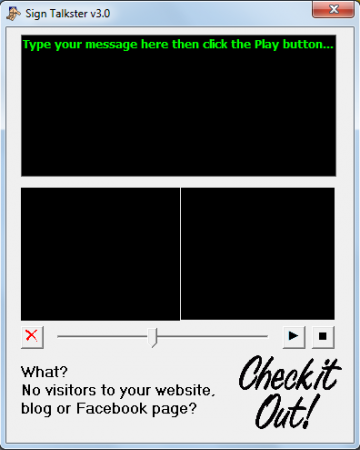
Once you launch the application you would see a blackish interface with text at the top. Below that you have two black areas where each of them represent the window for the sign language and the text which it represents. At the bottom you have the play button along with the option to change the speed at which each text is presented through the sign language.
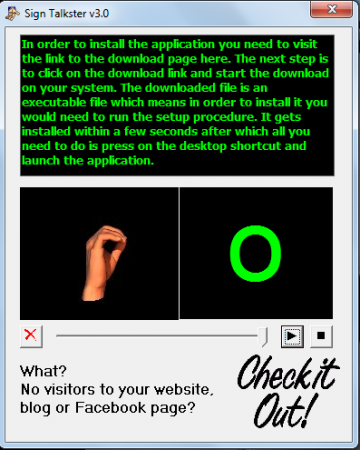
Now you could type out the entire text that you want the software to play in terms of the sign language or just copy in some texts from the concerned file. Once you have the text in the black space at the top of the window the next step would be to select the speed at which you wish the text to be played out. You need to drag the marker and place it depending on the speed you prefer. Finally when you have all the options setup you need to click on the Play button. Doing so would start playing the entire text that you wrote/pasted word by word. Each word would be shown as per the sign language of hands so that the reader has the clarity of the texts being written. For the people having the disability to hear and wish to learn the alphabets through the sign language this tool is one of the best around. Being simple yet effective makes Sign Talkster a great product for the people looking for such software.
