neoSearch is an alternative to the Windows search engine that lets you search for files quickly in the blink of an eye and gives you dynamic search results. The free file search engine works very efficiently to find files and does not slow down your computer.
Other alternatives to the Windows search engine include DocFetcher, Exalead Desktop Search and Everything Search Engine.
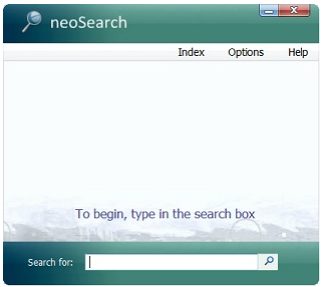
Users often encounter a problem when they search for files, folders and important documents. They have to search thoroughly in their hard drives or somewhere else to find files. Windows has a search option and you can type in what you are looking for. But the main problem that comes is that it slows down your computer making it less efficient and you waste your precious time searching for important documents. neoSearch is different.
This alternative to the Windows search engine does not interfere with your computer’s speed and efficiency and saves your time. The free file search engine searches for up to 25 items at the same time providing you with fast and good results in just a matter of seconds to find files easily.
Features of neoSearch:
- neoSearch indexes your computer very fast giving you the best results
- The free file search engine provides you with dynamic search results when you search for files
- It gives you all the items that match with your query to help you find files
- This alternative to the Windows search engine lets you navigate to any file or folder with its superb feature ‘super navigation’
- neoSearch does not use much of your RAM and has a tiny hard drive footprint
- You can also schedule the indexing and run the free file search engine whenever you want to by specifying the time
- You can specify the paths to be included and excluded when you find files
- You can set neoSearch to start with your system and you can easily launch it from the tray icon
- The results can be resorted by name, size, location or the last mentioned or modified time
It is easier to launch applications and find files through this amazing alternative to the Windows search engine. neoSearch lets you search for files and folders instantly and in a matter of seconds. Moreover, you can search for many items at the same time and the free file search engine comes completely free of cost.
Another free file search engine is InSight Desktop Search.
