SendToSendTo is a free software that allows the user to add selected folders to the right click Send to menu. When you download this absolutely free software it enables you to add folders to a list containing preset locations. These include links like the desktop, my documents folder, mail recipients and the CD, floppy and DVD drives. You will not have to copy and paste the file to the required folder which can prove to be pretty cumbersome. You can add onto the number of destination applications and folders in the Send to sub menu that appears when you right click on the icon of a file or folder.
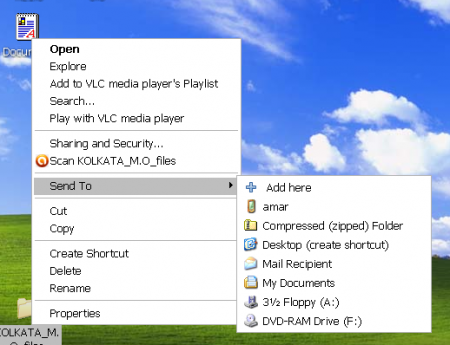
Features Of Sendtosendto
- SendToSendTo is a freeware which means that one can download and use this program without having to shell out money for it.
- This Windows extension is small, compact and efficient enough.
- The instant file name of the file saved when one is downloading sendtosendto is sendtosendto-1.0.2-setup.exe. This file is very small and its size is only 134 kilo bytes.
- This free extension runs on a Windows platform which means you need to have Windows 98, Windows XP, Vista, Windows 2000 and Windows 7.
- Sendtosendto, a Windows shell extension developed by the whyeye.org can integrate itself with the Send to menu automatically.
- Though it is extremely small the user will need to install this system utility from the .exe file downloaded from the internet.
Also check out right click menu creator reviewed by us.
Interface And Working Of this send to menu modifier:
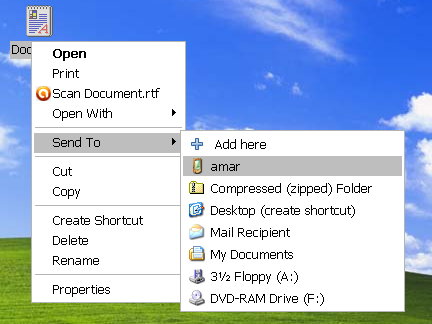
Once you have finished downloading the .exe file and installing it you can right click on the desired folder (in which you want to send the selected files, folders and documents) and select the Send to option.
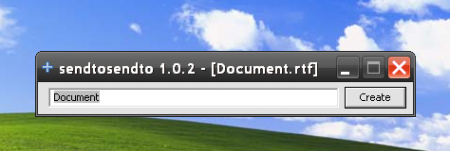
You will find the drop down menu appear beside the main context menu and you will see a new option added there apart from the usual options, i.e. Add Here option. When you click on the new option, a small window will open which will allow you to change the name of the file as it will appear in the sub menu.
You can also check out right click enhancer and send to toys, two similar software.
Now when you right click on any item and select the Send to option you will find the name of the folder you just added to the list on the sub menu. Adding the selected folder to the sub menu can seem confusing and official help is not available but you can check on the internet for detailed help. Removal of a folder from the Send to menu can prove to be difficult but it is not impossible.
Downloading And Installing This Shell Extension
The sendtosendto system utility can be downloaded for free from the official website which is whyeye.org. At the same time a link directing the user to the free download of the sendtosendto extension can be found on numerous websites across the internet. The .exe file is small and when you click on it you will be guided through the rest of the installation.
Final Verdict
If you want to choose the folders which will appear in the send to sub menu in a uncomplicated and hassle-free way then definitely go for SendToSendTo free extension.
