Unrar Extract and Recover is a free RAR file extractor that helps you with both password recovery and extraction of RAR archives. This free alternative to WinRAR can handle encrypted, multi-part and password protected archives without any problem. Besides extracting RAR archives, it can also provide list of information embedded inside an archive. If you have forgot the password of a password protected RAR archive then you can let this free RAR file extractor retrieve it for you. Give this freeware a wordlist and it will attempt all words inside the wordlist to retrieve the password.
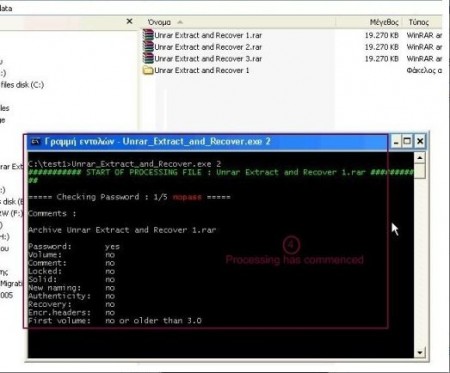
This free RAR extractor can help you to maintain a single password depository. If you want to protect your files using multiple passwords then you can store all those passwords in this single password depository. If you have a large archive collection and want to extract them but don’t have time then let this free alternative to WinRAR take care of it. Just show the directory holding the collection and let this freeware extract them without any user intervention. When processing files, it checks for files with CRC errors, corrupted headers and broken multipart files and keep all the records into a text file.
Unrar Extract and Recover is a portable software and doesn’t require any installation. It’s capability of handling batch job is what makes Unrar Extract and Recover different than WinRAR. Just place unrar.dll in the System directory and it’s ready to use. It’s lightweight and uses very minimal memory. If you want to save storage space by compressing your files then you should try this free alternative to WinRAR. It’s specially designed for those who are concerned with security and wants to save some space.
You can also try 7-zip, PeaZip reviewed by us.
Features of Unrar Extract and Recover:
- Batch RAR file extraction and can provide list information embedded inside the RAR archives
- Lightweight and portable
- No registry or installation is required, works with raw Win32 API
- Can retrieve the password of password protected archives using the dictionary approach
Unrar Extract and Recover is available for download at nvglabs’s website and it’s only 5.66MB in size. It supports Windows (All). Download Unrar Extract and Recover Free.
