• Home
  • Software Testing Service
  • About US
    • Privacy Policy
    • Disclosure
  • Write For Us
  • Submit Software
  • Contact Us
    • Subscribe
I Love Free Software
Best free software available all over the web. The free software categories include Windows Software, Social Networking Tools, and software installation videos.


  • Featured
  • Windows
  • Web Applications
  • App Store
  • Android
  • iPhone
  • iPad
  • Windows 8
  • Social Networking
  • Programming Tools

Free Software to Monitor Uptime of Websites: Site Monitor

By Arvind Kumar on March 19, 2012 | Sponsored Links

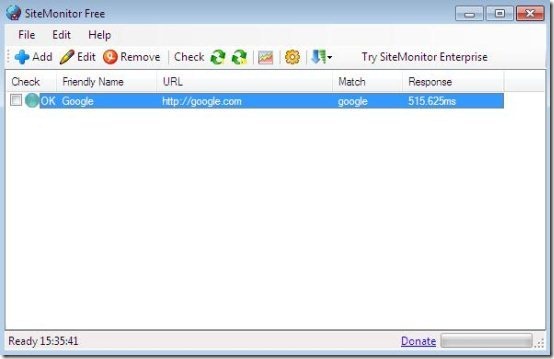
Site monitor is a free tool to monitor uptime of websites and provides notification when the websites are down. This tool to monitor uptime of websites checks the functioning of websites at regular intervals of time. You, not only can monitor uptime of websites but also, can monitor hosts and servers with site monitor.
site monitor 1
Sponsored Links

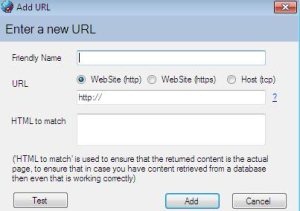
You can also add, edit or remove any of the URL’s from site monitor. You can set the site monitor tool to start automatically on windows startup.
site monitor 3

Note: Some of the features are disabled as they are only available with the paid version.

Key Features Of Site Monitoring Tool To Monitor Uptime of Websites:

  • Convenient to use this site monitoring tool to monitor uptime of websites.
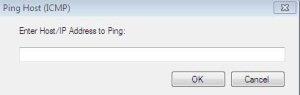
  • Pings websites and hosts.

site monitor 4

  • You can launch site monitoring tool on startup of Windows.
  • Checks for the network connections availability.
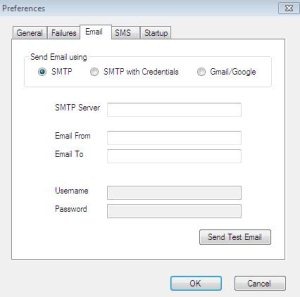
  • Sends email notification on connection failure.
site monitor 2

  • You can Run executable when a website fails many times.
  • You can also allocate the maximum log size.
  • Automatic check for updates on startup.
  • You can sort websites according to names and check.

How To Install Site Monitor To Your PC:

  • To install site monitor to your PC visit the link given below, or simply Click here.
  • Click on Download link.
  • A zip file will be downloaded to your system.
  • Unzip the file to extract setup file.
  • Double click and Run the extracted setup file.
  • Follow further instructions to install site monitor to your PC.

Site Monitor is a free tool to monitor uptime of websites. Now you can easily monitor uptime of websites with this easy to use tool and you will get instant notifications if any of your websites are down. Site Monitor is a handy tool to have for any website owner. Try this tool to monitor uptime of websites and check its performance.

Home Page: Click Here
Works With: Windows 2000, 2003, Vista, XP, 7
Free / Paid: Free

Link to This Page:


You Might Also Like:

  1. Free Ping Tool to Monitor Uptime of Servers, Devices, Websites
  2. Free Unlimited Website Uptime Monitor: StatusCake
  3. 10 Best Free Website Uptime Monitoring Services
  4. Websites Cop: Monitor Website for Unauthorized Changes
  5. EasyNetMonitor: Monitor Online Status of Computer or Website

Be the first to know about Latest Free Software:

  • Join us on Facebook
  • Subscribe to our RSS Feed
  • Follow us on Twitter
  • Subscribe to Email Updates:

Posted in Security Software | Tagged software | Leave a response

Arvind Kumar

« Previous Next »

Featured Posts

  • 5 Free Snippet Managers To Manage Code Snippets
  • 5 Free Online Tools To Test Website In Different Resolutions
  • 5 Free Microsoft Access Alternatives
  • 5 Free IP Notifier Apps
  • 5 Online Mapping Websites
  • 5 Free Alternatives To iGoogle
  • 7 Websites To Download Windows 8 Themes
  • 5 Best Free Calculator Apps For Windows 8

Join More than 15,000 Followers!

Enter your Email Address
  • Submit Software
  • Software Testing Service
  • Write For Us
  • About Us
  • Privacy Policy
  • Disclosure
  • Contact Us

Link to Us:

Did we review your software here? Feel free to flaunt this badge on your website:

Free Software

Use this Code:

Copyright © 2013 I Love Free Software.

Powered by WordPress and Hybrid. New - H