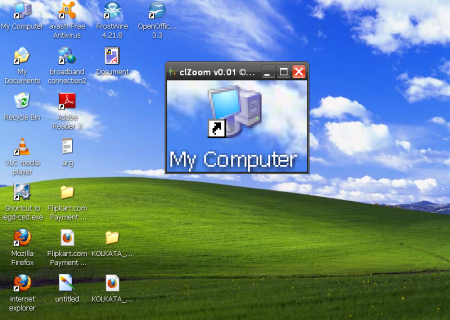
ClZoom is a efficient, small and simple software which can be used to zoom on your desktop. It works somewhat like a magnifying glass, zooming in on the desired area of your desktop. It enables the user to zoom and enlarge the pixels of his or her desktop to a large extent. This software is extremely easy to use and in fact, usability is one of its main advantages. The fact that it is small and compact adds on to its already high feasibility. You can use this efficient and absolutely free software to magnify the pixels of your desktop to 16x times.
Features of this Free Desktop Zooming Software:
- It is a freeware which implies that you can download this software without having to spend a single penny.
- Its system requirements specifies Windows 7, Windows NT, Vista, Windows 2000, Windows 98 and Windows XP.
- This enterprising software supports multiple monitors.
- You can use the mouse wheel to increase or decrease the magnification according to your needs.
- This free software, namely, clZoom v0.01 can be used to achieve a range of magnifications, from 1x upto 16x.
- It has a timer that automatically refreshes the screen. What is more, you can also change the refresh rate according to your requirements from 5ms to as high as 10 seconds.
- It saves your preferences automatically.
- This very efficient and compact software saves the window positions automatically too.
- It is completely portable and can also be run from an USB stick.
- It is handy and very small in size.
- It requires absolutely no installation.
- If it is launched, executed and ended properly then it will not leave any entry in the registry or the file system. Or in other words it can be termed as a stealth program.
Interface:
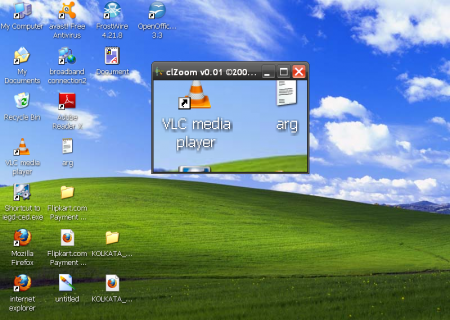
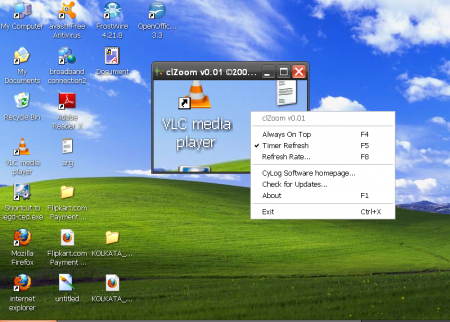
You will find that the software consists of a single screen which shows the magnified region and which can be enlarged to full screen as well. When you right click on the screen a drop down menu appears which consists of the always on top, timer refresh, refresh rate options.
One can change the refresh rate settings from a lower limit of 5ms to an upper limit of 10 seconds. It also saves not only the size but also the position of your window. In order to specify the required area of magnification move your mouse pointer to the screen and left click on it. Now move your mouse pointer out of the window and drag it accordingly. You will find the region being magnified on the screen of the utility.
You can also check out free software to enlarge images without losing quality.
Download and Installation of this Free Desktop Zooming Software:
clZoom v0.01 comes In a handy zip package which can be downloaded from the official website. The package is also available on numerous other websites across the internet. Once you finish downloading the package you can extract it in any folder and click on the icon which says clZoom.exe.
You can also check out smart zoom to zoom in on a section of a window.
Final Verdict
If you need a small but smart utility for magnification purpose clZoom v0.01 is the right choice for you.
