FlixMaster is a free online video editor that helps you in publishing interactive videos. It is a free cloud based video editing software that helps in making ubiquitous videos that are easily navigable. The best part is that you can highlight a specific part of the video using this free online video editor that you want the viewers to see and get them engaged with the video. If the video is too long and boring then the viewers will stop looking at it, but if you keep it to the point and provide valuable information then you will surely get more traffic for your videos.
You don’t need to install the software as all the work is done online through your account. When you visit the site click on “try it now for free” and make an account with them. You will receive an e-mail once the account is made and need to click on the confirmation link sent along with the mail. Then your account will be active and you can start using the app. Once you are finished with the project creation you can share it with your friends on Facebook, Twitter and Google Plus. If you are interested to check out some more online video editor, you can try VideoToolBox, Filelab Video Editor and JayCut reviewed by us.
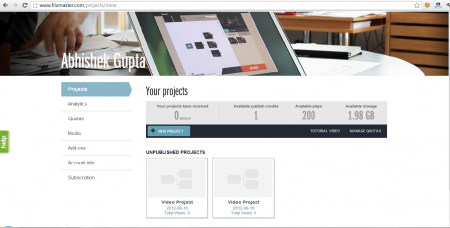
Interface of this online video editor
This free online video editor has a very simple and user friendly interface with all the tabs in the left panel of the page. You will not face any problem while using the app as all the information is there on the page and you can even have a look at the tutorial to use the app easily.
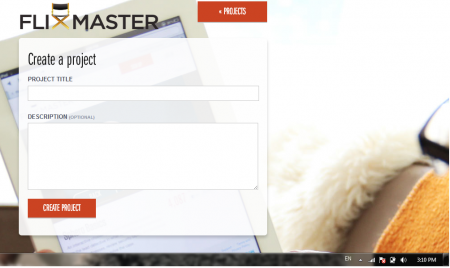
Using this online video editor
Once you finish with account creation and click on the confirmation link you will be guided to the main page of your account. The first time you visit your account you will be provided a video tutorial that guides you on how to use this free cloud based video editing software. After you finish watching the video then you can visit your profile and start creating your own project.
To start with project creation click on “create your first project,” then you will be guided to another page where you are provided with the option to give a title and description to your project. After you finish with the title and description part, click on “create your project” and you will be guided to the page where you can start with the project.
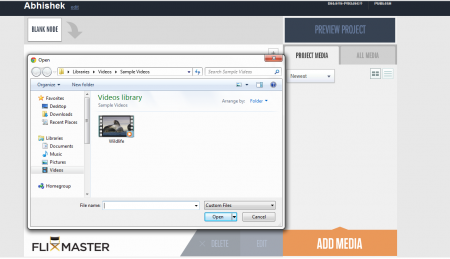
To upload the videos you need to click on “Add Media,” then you will be given an option to select the desired video from your computer. You can either choose to trim the current video or upload different videos to merge them together. After you finish with the project you can click on preview project and have a look at the project before publishing them. At the top right corner you can find the option to either delete the project or publish it. Once you click on publish the created video will be published. Before you publish the project always enter a node as the app does not publish blank node projects.
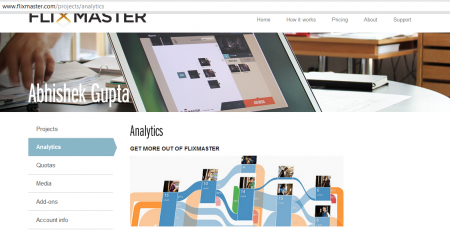
If you don’t publish the project and want to publish it after sometime then you can find it in unpublished projects panel. In the main page of your account you can find the analytic tab that helps you to have a look at the traffic coming to your video. It follows a simple process that helps you in publishing innovative videos and shares them with your friends. Try FlixMaster free.
