Aomei Partition Assistant Home Edition is a smart drive partitioning software which allows to create partition, merge partition, delete Partition, format partition and much more. This drive partition manager supports hard disk and partition management. It provides an advanced system optimization which makes your PC’s functioning smooth and fast.
This software is compatible with Windows 7 64 & 32 bit and also compatible with Windows 8. This drive partition manager performs the ability to merge, resize, create, format, delete, extend, split, hide and Move partition.
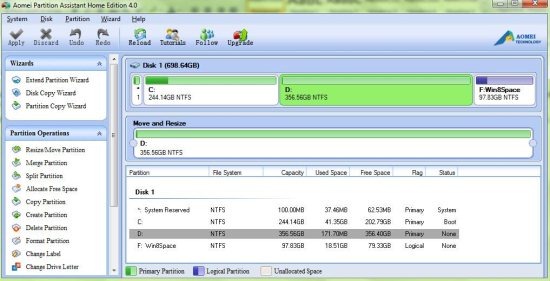
This drive partition manager shows the allocated and unallocated space on your hard drive. It performs different wizards like copy disk, extend partition and partition copy.
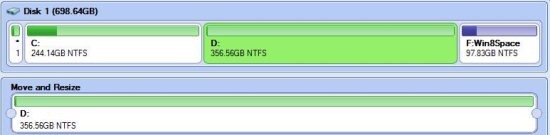
You can easily view properties of your hard drive with specifications like total size, file system, total sectors, bytes per sector and much more.
Key Features Of This Drive Partition Manager:
- Resize or move partition: You can easily enter new size and specify the location of partition.
- Merge partition: Merge partition into a bigger one or merge unallocated space to an existing partition.
- Split partition: Specify the size and the partition for new location.
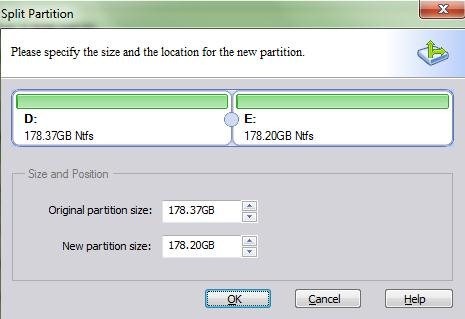
- Allocate free space: Allocates free space from one partition to other partition.
- Copy partition: Copies the drive completely or sector by sector.
- Delete partition: Deletes the partition according to your preference.
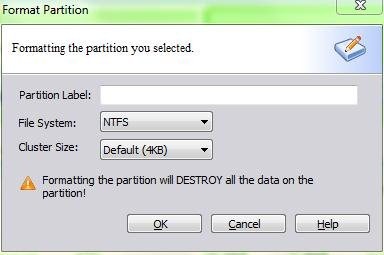
- Format partition: Formats the drive according to the file system like NTFS or Fat32.
- Change label or change drive letter: You can easily change the label and letter of any drive.
- Hide partition: It allows to hide any partition on your hard drive.
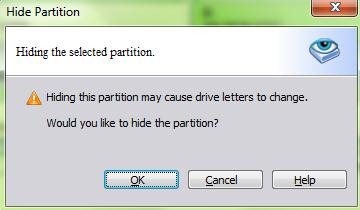
- Check partition: Performs through check of partition from byes to bytes.
- Wipe partition: Deletes the partition or erases all data on the partition.
How To Install Aomei Partition Assistant Home Edition To Your PC:
- To install Aomei Partition Assistant Home Edition to your PC, click here.
- Click on “Free Download”
- Double click on the set up downloaded.
- Follow further instruction to install Aomei Partition Assistant to your PC.
Aomei Partition Assistant Home Edition is a drive partition manager for your PC. This drive partition manager performs additional functions like copy disk, extend disk and partition copy. It’s very efficient and easy to use.
Try this drive partition manager and test its efficiency.
