CultDesk is a free hotel bookings software which can help you in managing your bookings. Basically, what this software does is it helps in adding online booking to your website and managing accommodation in a better way. In fact, this free hotel software would also help you in connecting to other booking channels so that you can manage vacancies and booking in just a few clicks.
Registering your hotel bookings:
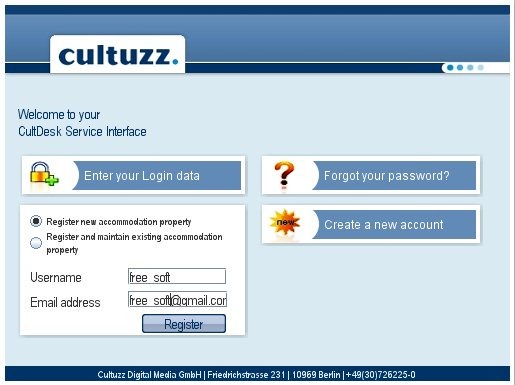
As soon as you launch the application, you will see a window which prompts you for username and password. Since we are not yet registered with CultDesk so we need to click on ‘Create a new account’ and complete the details. From here we proceed by choosing ‘register new accommodation property’ as we do not have any property registered with CultDesk yet. Once you enter the credentials in the next screen, you are e-mailed along with a password and activation link. You need to enter the username and email address on registration. Once you open the activation link, your account gets active.
Interface
Once you login with your new credentials, you will see the following screen:
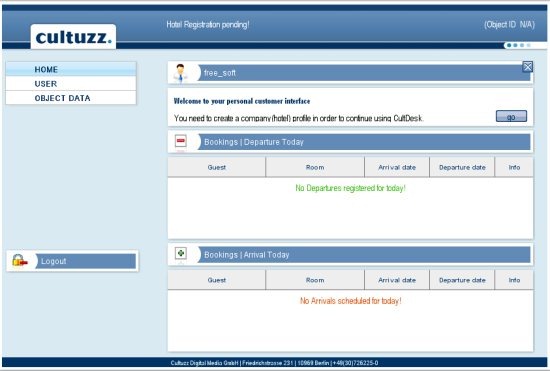
As you can see, the interface is quite simple and pleasing. It is quite simple to create your hotel profile as we would find in the coming sections. The free hotel bookings software is quite user-friendly and you will be amazed to check out its features and ease of access.
You can also check out free vacation planning website reviewed by us.
Connecting to the popular internet hotel booking channels
To register your hotel so that it is connected to the major internet hotel booking channels, you will have to follow the given steps. Hit the ‘go’ button on the previous screen and the following window appears where you need to enter the required details. Click on Continue once you are done. Most of the fields are mandatory hence you need to make sure that you are filling all the required details.
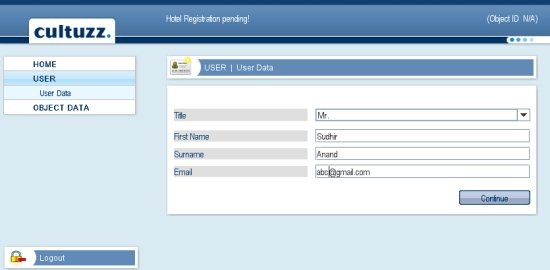
After you hit continue, you need to enter the Master Data in the next window which is shown under:
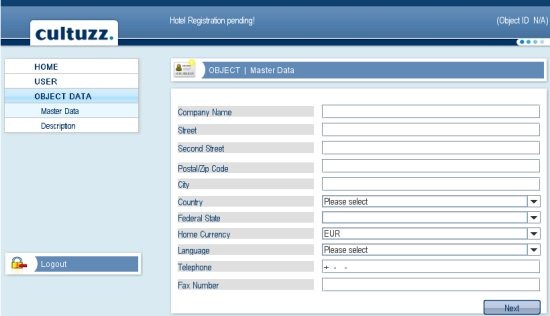
You need to fill the information very carefully. In case, you leave any mandatory field or enter any field wrongly, you won’t be able to proceed. Hence make sure that you adhere to the format and do not miss out any important field. Once you hit next, you will have to enter the description of your hotel.
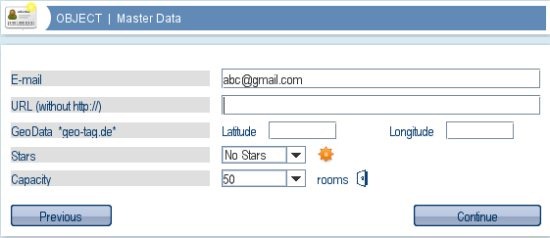
As you can see above, you need to enter some very basic details. These include the e-mail, url for your website, geo-data which means you need to specify the latitude and the longitude, stars ( whether your hotel is 1 star, 2 star, 3 star, 4 star or 5 star) and the capacity. Hit continue to hop onto the next screen.
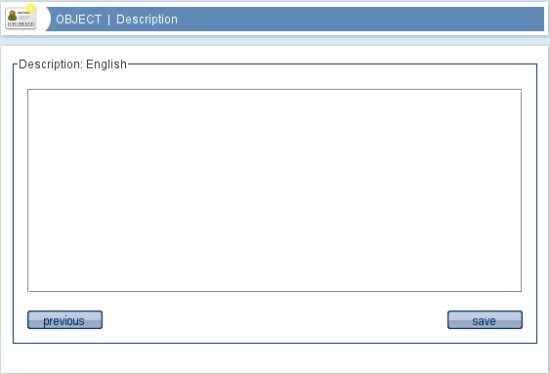
The final step as you can see above is to enter a hotel description. Once you are done, you can save the details. This completes your registration process.
Pro-registration
If you have entered valid details, your hotel will get registered with the CultSwitch server and you will get the corresponding object_id for your hotel and an online booking URL that can be easily integrated onto your website. In addition to ‘Home’, ‘User’ and ‘Object data’ some additional items would be displayed to manage your hotel and vacancies. These would include inventory, bookings, web bookings which would come with plethora of options. You can perform the following:
- Edit your inventory and manage vacancies.
- Blocking or opening specific days for booking and hence managing availability.
- Updating rates.
- Checking out booking summary. You have four tabs: ‘Future’,’Current’,’Past’,’Cancel’ and ‘Search’.
Verdict
In all, CultDesk is a great free hotel bookings software if you wish to manage your hotel bookings without having to spend a hefty amount. It comes with great features and hence is worth a try!
Download CultDesk for free.
