RefreshPC is the perfect application for those of you who wish to reset PC’s registry settings and bring them back to the original state as it was when you first installed the OS. This free system utility is quite handy when you want to fix all the problems which your computer might have encountered. With your computer being used for a period of time tends to get prone to misconfiguration in terms of programs or other registry values. In order to fix these, RefreshPC acts as perfect program and does the process quite quickly indeed. If you want to get rid of all the misconfigurations in your PC and reset PC’s registry settings safely, RefreshPC is what you are looking for.
Installing RefreshPC to reset registry settings
For installing the software on your system you need to visit the link here and click on the download button. On clicking the download button the download process would start and it would take a couple of minutes before getting downloaded on your system. After you have the installer on your system the next step is to run the setup process which is carried out by a step by step setup. If you are looking for a good PC maintenance utility after refreshing your PC with RefreshPC, you can try Advanced SystemCare Free, WinUtilities Free and TweakNow.
Using RefreshPC to reset registry settings
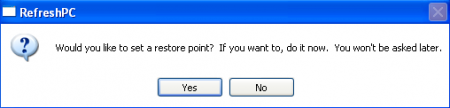
The moment you start the program a popup would appear asking you if you wish to create a restore point before you run the program to perform its function. It is the 1st and last time the program would give you the option of creating a restore point in case you would need it after you run the entire cleanup process.
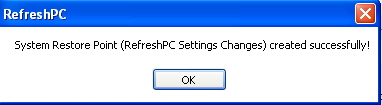
In case you click on yes the restore point creation process starts and takes a few seconds to create a restore point.
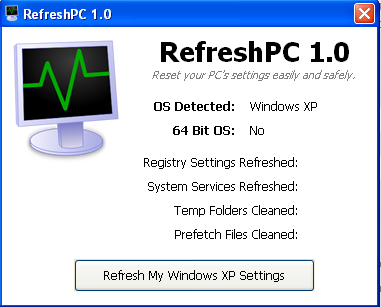
The next window you see is the main window of the program which summarizes the current situation of the system which includes the information about the OS, and some other options. At the bottom you have the big button which upon being clicked refreshes the entire windows system and its settings.
Some of the notable features of RefreshPC are as follows:
- It helps in reduction of errors in the viewer.
- Fixes all the misconfigurations which might have been creating problems such as slow boots.
- It will clean all the temporary folders.
- It helps in resetting the key registry entries to their basic default values.
Download RefreshPC free.
