BitRope sharing is a free file sharing client which allows you to download files via p2p networks like Gnutella2, Gnutella, eDonkey and BitTorrent. P2P networks are basically the peer to peer networks in which you are connected to a number of workstations or peers for the purpose of sharing resources. So, with this free software you can download files such as movies, seasons, music and so much more. What adds to its specialty is the fact that this free file sharing client comes with a variety of features integrated in a single p2p program.
Interface of this free file sharing client
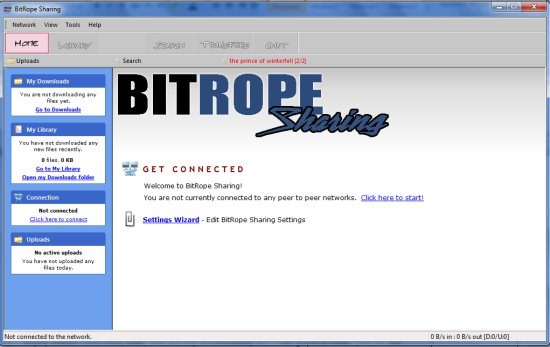
The interface of this free file sharing client looks like above. The summary is mentioned in the left panel which states the active downloads, recently downloaded files and library and the active uploads. This is the view of the ‘home’ tab. We went on to find more about this file sharing client on clicking ‘click Here to start!’.
Other similar software: u Torrent, Bit Torrent, Vuze.
Ease of use
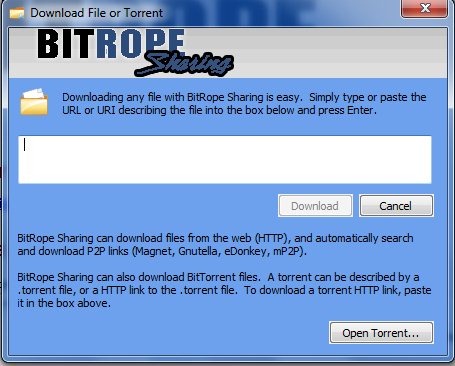
To proceed further, you need to have a good internet connection. The next window basically offers you two choices:
- Start downloading a new file or torrent by specifying the URL.
- Searching for a particular file.
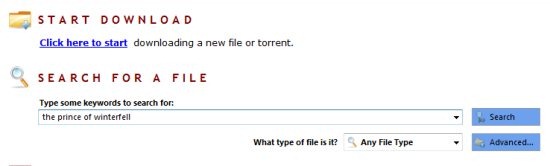
Suppose we start searching a file, we can also specify the kind of file we are searching for. For instance whether it’s an image file, bit torrent file, source code, book, video etc. To make things easier, we chose the file type as bit torrent and started our search.
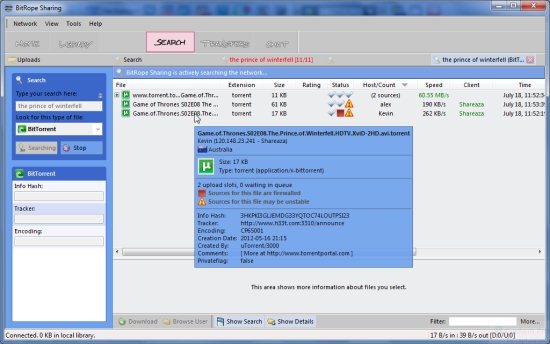
As you can see in the above snapshot, depending upon the internet speed, the results would be displayed in the ‘Search’ screen. By hovering over your cursor on a particular link, you can easily check the details of the file being downloaded. In addition, the size, status, speed, host/count, client etc. is also displayed. You can double-click on a particular result to start downloading it.
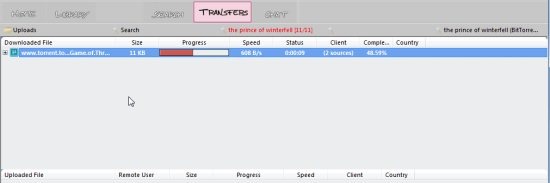
As such you will navigate to the ‘ Transfers’ interface which shows the download status whether it is in progress or completed. The additional details including the speed, client, status etc. are also mentioned.
We have another tab, ‘library’ which has your downloads stored in the respective categories. You can view the contents either by clicking the ‘Folders’ tab or ‘Organiser’ tab.

In the above snapshot, we clicked the ‘organiser’ tab and the ‘all files’ category. Whatever downloads you complete are displayed on the screen along with the details.
Innovative features of BitRope sharing
- Built in media-player to preview files.
- Organize the downloaded content in the library.
- A great user interface to work with.
- Based on Shareaza p2p client.
Verdict
BitRope Sharing client is a very user friendly and rich software in terms of interface. It offers you a number of features and as such poses a stiff competition to other p2p sharing clients. As far as ease of access is concerned, you have already seen the variety of features it offers. Hence there is no harm in trying this software.
Download BitRope Sharing client for free.
