FotoWall is a simple photo editing software that lets you edit your photos according to your convenience. You can add text, videos or even pictures from the internet. A photo editing software is associated with complexity. FotoWall however, is a very simple software to use. It has unique features and a really well designed interface. Though the options for editing are not many, but the existing options are really important. The software gives you the ability to customize your photos according to the manner in which you want to!
Features Of This Photo Editing Software:
- It’s available for free, unlike many other Photo editing software.
- Create photos, postcards, covers, Vector Images and wallpapers.
- Make Texts and Canvasses to your images.
- Use the web for getting the desired images.
- Print pictures within seconds.
Interface And Working Of This Photo Editing Software:
This photo editing software has a very easy-on-the-eye interface design, but it’s a little unconventional in nature. The File Tab which is present on the top left corner in almost all applications, is present on the top-right corner in this application.
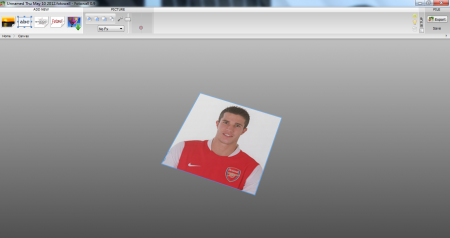
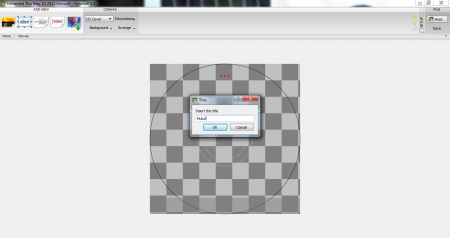
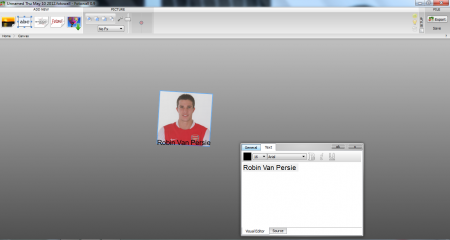
The first task of mine was to open and edit an image. With the standard options in the top pane; you can set the opacity of the image and tilt the image in any 2D angle. The addition of Text, is a special feature. The Text can be added in any font and any size. It gets incorporated with the image in a Drag and Drop style, making it look very stylish on the image.
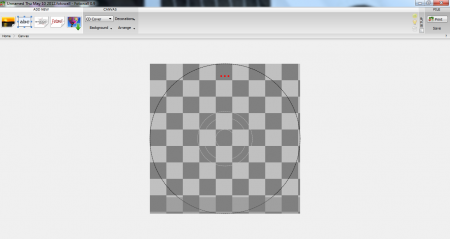
There is a Canvas option, which lets you create beautiful images. You can select the cover picture background, decoration and the arrangement setting.
The additional feature is to search the web for images. They can be edited in the same manner as the existing PC images.
Also, check out other free software to edit photos reviewed by us.
Downloading and Installation Of This Photo Editing Software:
The photo editing software is quite a large file for a Zip software. It has a size of around 3.5 MB but the positive aspect is that it doesn’t carry any setup file. It has a direct application launch icon saving the disk space required for the installation process.
The Final Verdict
FotoWall is an excellent photo Editing software which lets you depict your creativity. It’s not only restricted to Photo Editing, but has various other functions too! For those wanting to go for a versatile Photo Editing software FotoWall is worth giving a try. The software is available for free and lets you enjoy the process of editing as well as creating.
