Here, are 5 free drawing apps for iPhone. Create doodles on the canvas with various drawing tools and explore your inner artist. Lets read about each drawing app for iPhone.
ArtStudio Lite
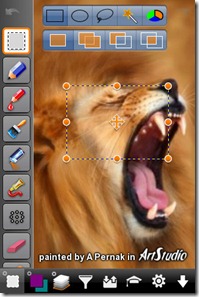
ArtStudio Lite is a free professional style painting and drawing app for iPhone. This free drawing app for iPhone has got a large number of drawing and modifying tools along with other useful features. The canvas size in ArtStudio Lite can be set to either 320 X 480 or 640 X 960 pixels. There are 30 different brushes and a text tool to insert text into the picture. Users can also start painting an image from the gallery or capture new from the phone camera. For expert users, there are advanced settings that can be used to modify the image in a professional way. The sample images created by ArtStudio can be checked online here.
Android users can take a look on Drawing Apps for Android reviewed by us.
DrawCast
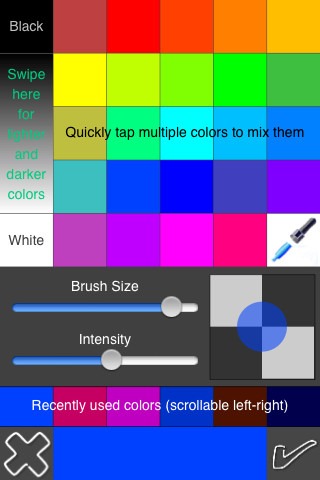
DrawCast is meant to give easy painting experience to the Apple iPhone users. This free drawing app for iPhone has got a nice feature of importing pictures directly from Facebook. Users can create a color of their own by mixing multiple, present colors. The eyedropper tool lets users select a color from the image. The brush size and brush transparency can be adjusted accordingly. A three finger tap clears the canvas. Pinch to zoom also works perfectly.
Feel free to browse around other iPhone apps reviewed by us.
Doodle Buddy
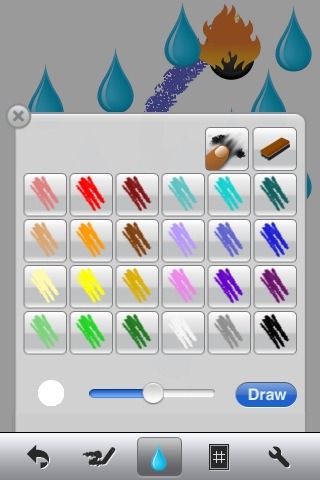
Doodle Buddy is a complete drawing iPhone app. Kids enjoy Doodle Buddy the most as this drawing app is extremely easy to use. A unique feature of this drawing app for iPhone is that you and your buddy, if both are on same Wi-Fi network can paint a picture together from both phones. Just connect the phones and the same painting will appear on both screens. Doodle Buddy is ad-supported. To remove the ads, purchasing the pro version is required which costs $0.99.
iDoodle2 Lite
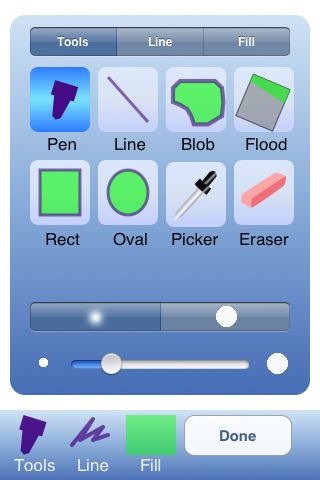
iDoodle2 Lite is another free drawing app for iPhone. This iPhone Drawing app has got a simple and straight forward user interface. The functionality of iDoodle 2 Lite reminds me of the earlier version of MS-Paint. This drawing iPhone app automatically saves your drawings. Undo and Redo works with a quick half flip. Overall the app is of good use in creating doodles and simple drawing.
iDoodleIt
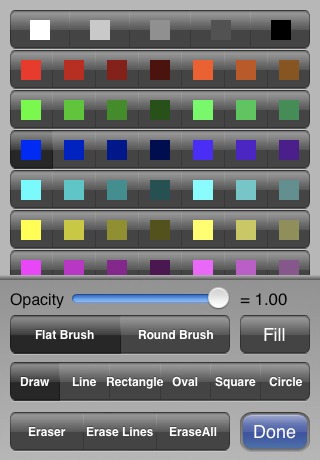
iDoodleIt is a free iPhone drawing app with a lot of features for creating simple doodles and drawings. Draw from a blank page or load a picture from phone gallery. Double tap on the screen hides all tool-bars and gives a full screen mode for efficient drawing. Double tap again to bring the toolbar back. Brush tip is available in two shapes – square and rectangle, and many sizes.
