Starter is very handy startup manager software that enables you to manage all the programs on startup of Windows OS. This program creates a list of all the hidden registry entries along with some of the common startup folder items. You may choose the option of safely disabling some of the selected entries, or even edit and delete them from the list. For those experts who know how to add their own entries they can do so easily.
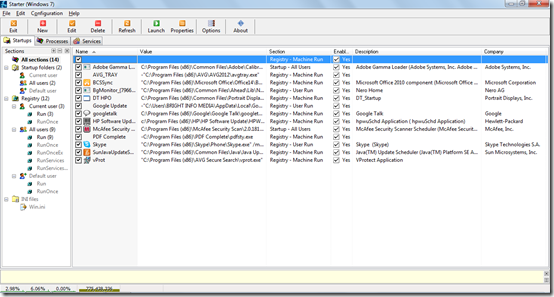
Programs on this Startup Manager
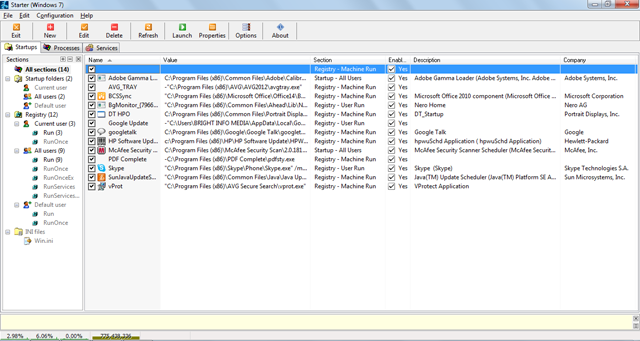
This Tab displays all the applications which automatically start the moment a system is switched on. You accessed this by typing ‘’msconfig’’ in the run option before. Now here you can see all the Windows programs on startup. You can add, edit, delete, or launch a particular application directly from this window.
Viewing the Running Processes
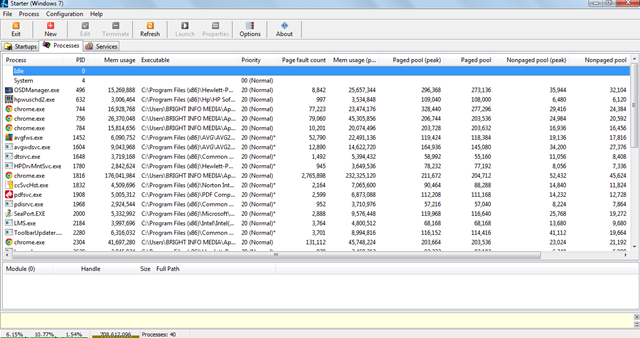
The starter also comes with a secondary option wherein all the running processes are listed and come with the option of viewing the extended process information. Here you may click on a running process and select the option at the top as per your requirement. For example: in the screenshot below if you wish to terminate the ‘’Chrome’’ which is one of the running processes you should click on it and select Terminate at the top. You may even click the right click button on your mouse over ‘’Chrome’’ to get all the options which are available for you to execute.

Moreover one can use the Windows services manager which comes with several advanced features to manage programs on startup.
Using the Services
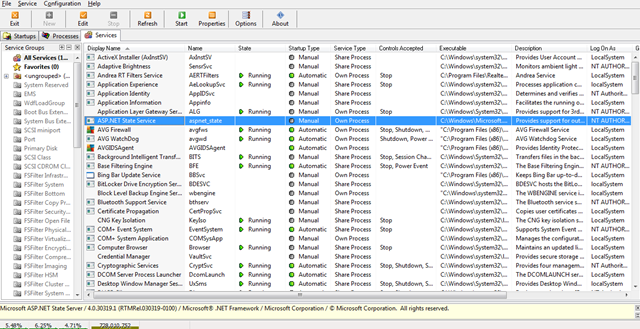
This tab displays the summarized details of the applications which you have installed in your system. These include the important system files as well. Here you can see all the software that your computer has. On the right side of each startup programs are details such as the process is running or inactive, how a specific software starts i.e. automatically or the user needs to start them manually, etc. Here also you can add, edit or stop the applications you want to.
The software is available for free and finding a similar product which could actually carry out the same tasks could be difficult. The program has a very simple interface which has all the options which are self-explanatory.
