Lyricist is a free audio player. It is a simple audio player with wonderful extra-ordinary features. Using this audio player one can also do songwriting. Songwriting is not an easy task, I cannot even think of manually writing a song, but now we have a software which looks like a simple audio player and which can easily perform this task of songwriting. For this very reason Lyricist is also known as the songwriter which can create or edit lyrics in a song.
This Audio Player application supports Formats like MP3, OGG, WAV, MOD, IT, XM and S3D files. This Audio player can create lyrics of an audio file and plays it along with the song. Like Other audio players this audio player also includes the basic keys like Playback/pause, Play previous/next song, stop playback, and volume controls.
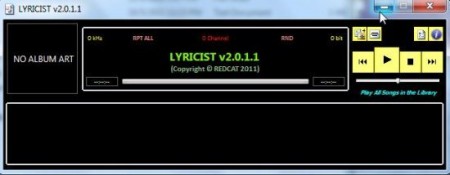
This Lyrics Writer is very easy to use, as it’s a user-friendly software and it’s user interface is very simple. It also allows the Users to save their lyrics to the database.
Some Key Features of this Audio Player:
- User friendly software, easy to use because of its simple user interface.
- The best thing about this audio player is that you can Create/edit lyrics by using this software.
- Users can Change the font of lyrics and also can change the color of the player.
- This audio player also shows the name of the song, the artist, lyrics and album art.
- It has a Play-all option by which you can play all the songs in the song library.
- In this new version, users can easily save the lyrics of the song in the lyrics dialog rather than saving it in a separate file.
- You can also easily change the overlapping of songs by the option in the Option Dialog.
- It also consist of a music library where you can find your audio files.
- You can also customize the sound with the help of equalizer.
How To Download and Install Lyricist:
- Simply download this audio player from its website by clicking on “Download”.
- Then after the download you will see a zip folder. Extract the files from zip folder.
- Now you have to click on the Extracted File of Lyricist, and after that click on “lyricist-app” to open the software.
- The Audio player window will open up. You can also create a shortcut for the file (lyricist-app) so that you don’t have to click again and again on the extracted folder to open it.
Lyricist is a very simple and user-friendly audio player which allows its user to create, edit and display the lyrics of the song playing.
