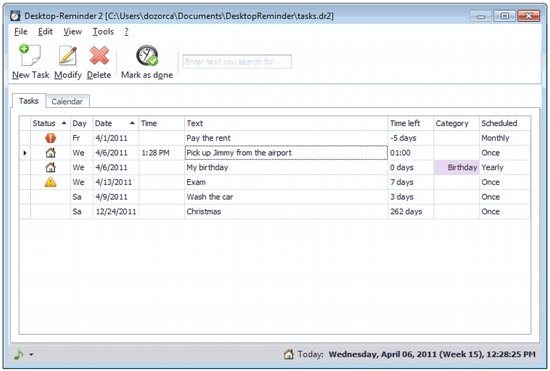
Desktop Reminder is a free reminder software that can help you to manage your to do list and tasks. When you turn on your computer, this reminder freeware starts working automatically and creates a list of all tasks and shows you the urgent tasks you need to do for that day. You will also see a notification message for the tasks you set with additional time. This free desktop reminder can notify you about task few months earlier. In this way, you will be able to quit a long term contract on time.
This free reminder software can help you to remind about your favorite program, somebody’s birthday or the pizza in the oven. You don’t have to input start/end of time or from/to for a task. It comes with 12 month calendar with weeks so it’s easier for you to plan a task. It can repeat a task daily, weekly, monthly or even yearly. You can organize all your tasks into different categories like Anniversary, Birthday, Business, etc. You can set alarm sound with each task.
You can also try Task Unifier, Atchoo and Timeline
Features of Desktop Reminder:
- Simple and Advanced Task Filter: You filter all your tasks as advanced and simple task with Desktop Reminder’s task filtering system. In this way, you will be able to manage your to do’s and task list in a simple and easy way.
- Different Task Categories: You can organize all your tasks in different categories like birthday, anniversary, meeting, etc. In this way, you will be able to find your task easily.
- Set Task-Notification Whenever You Want: You can set task-notification up to few weeks or months ahead.
Desktop Reminder is only 10MB in size and requires Windows 7, Vista or XP with .NET Framework 2.0. This installer will ask you to download .NET Framework 2.0 if it’s not already installed on your PC.
Desktop Reminder is available for download their official website. It’s extremely easy to install and uninstall. There are two versions of the software, a free version and a pro version. If you are satisfied with this free task planner and want to enjoy more features, you can try the pro version.
Download Desktop Reminder free.
