Editor Ratings:
User Ratings:
[Total: 0 Average: 0]
aiFiLE is a free file management software for your Windows system. It can prove to be essential for meeting your entry level file management needs. It is very much easy to use and hence is preferred by many of the users. It does not need any advanced knowledge in managing the files, so most people can easily handle it without any problem. It is very much lightweight and does not create much pressure on your computer’s memory.
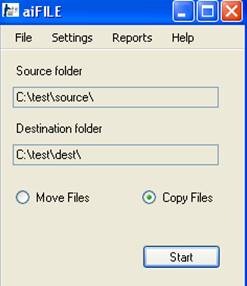
Lets look at some features of this file management software:
- It is very fast and can transfer huge number of documents per second.
- It does not affect the performance of the machine.
- It is easy to download and install. The license key is provided along with the download file itself.
- It requires a source folder and a destination folder to start its operations.
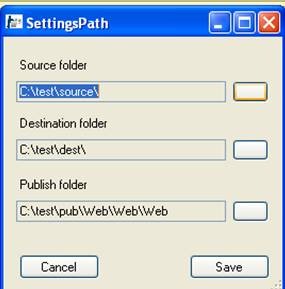
- The files in the source folder should not be reorganized while the copying is taking place.
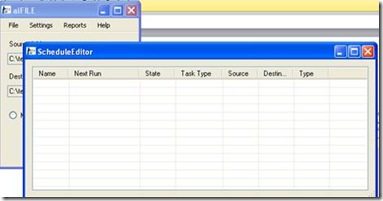
- You can also schedule your tasks for daily or weekly basis.
- Not only copying it also helps in moving files.
- You can get the different reports of the movement of files or files that are copied in the log files.
- It allows the scheduling of tasks by date and time format.
You can also check out other free file management software like FilerFrog and StuffOrganizer reviewed by us.
How to download this file management software:
- On the download page, you’ll find two download links. One is a .exe file and the other is a .msi file.
- When you click the .exe link a rar file will get downloaded to your system.
- You have to unrar the file and then run the exe file to install.
- If you click the .msi link then you’ll be redirected to a page asking for the license key.
- If you do not have the license key do not worry. Just email at the address given on the page and you’ll receive the license key in your inbox.
- Also, the license is free of cost.
aiFiLE is a simple but useful file management software for meeting the needs of the user. Download this aiFiLE software for free.
