Mimosa is a course planning, scheduling and timetabling software for use in schools, colleges, universities, industries and companies. You can think of this software as a free course planner, free course scheduler and a free timetabling utility. It is free to download and use.
Planning a meeting, scheduling conferences and work shifts, timetabling various courses in schools, colleges and universities are the tedious works which no one would love to do. Moreover, errors and conflicts occur easily. Solution to all these problems is here, Mimosa. Using Mimosa, you can complete all these works in a few minutes and without any errors or conflicts. If you are looking for a good time management software, you can try Ganttic, ManicTime and ClockingIT.
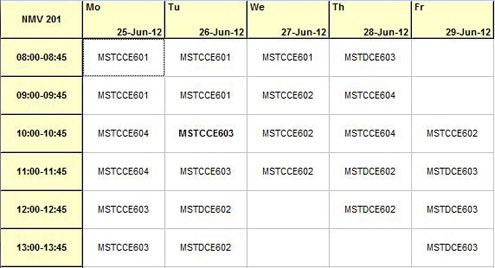
Where can you use Mimosa?
- Kindergarten
- Schools
- Colleges
- Universities
- Companies
- Organisations
- Conferences
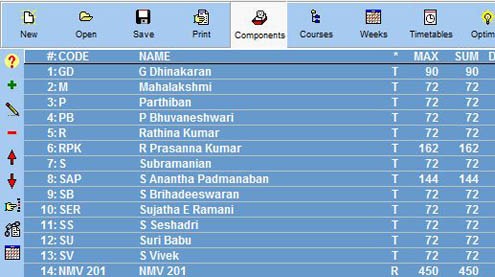
Features of this timetabling software
- Teachers, Subjects, Rooms & Equipment: Mimosa integrates all of these into one so that you can easily manage and efficiently use the available resources.
- Automatic Conflict Checking: This is the prime feature of Mimosa. This makes sure that you don’t double book a resource. This makes sure that two teachers don’t end up in the same class at the same time!
- Multiple Views: After allocating time table Mimosa allows you to generate timetables from the point of view of students as well as teachers.
- Calendar Synchronized: Mimosa is synchronized with a calendar so that you can easily plan various meetings and conferences.
- Numerous Optimizations: Using Mimosa you can optimize the timetable allotted according to various conveniences like a teacher gets a minimum of one hour rest between each class, the maximum number of classes for a subject in a week etc.,
- Reports: Mimosa offers user defined reports in a HTML version. Besides that you can view timetable and statistics at any time in a simple clipboard form.
- Interactive Environment: Mimosa has a cool interactive environment which makes it easy to use. Usage of multiple colours helps in differentiating subjects easily.
- Data Transfer Options: From notebooks to laptops to mobile devices and amongst various Microsoft office products & Windows live services, you can easily share and transfer data files of Mimosa.
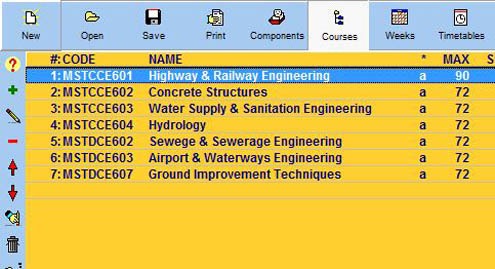
Mimosa is an amazing software which will easily reduce your work burden. Mimosa is a simple, fast and flexible application. It is very compact and neither it uses your hard disk space too much nor it slows the performance of other applications.
Mimosa is amazingly user friendly with its interactive environment. It also includes a detailed help which can help a fresher easily learn about Mimosa. When tested Mimosa worked perfectly and gave good results without any crashes. Mimosa is the software which can revolutionize planning and timetabling methods. Use Mimosa and be free of the tedious work load.
