Hexonic PDF Split and Merge is a free software to combine PDF files, and split PDF files.This free PDF file merger lets you merge PDF files, or split one single PDF file into 2, 3 or even more number of pages.
When you merge or split PDF files, you will not lose your existing document. If you have a file and say you want to split pages from 3 to 7, you just need to select the page range you want to split between.
For example: I added a PDF file by clicking on “Add Files” and selected the range of the pages I wanted to merge i.e from 1 to 3. Thereafter I clicked on “Start Processing”. Just in a few more seconds, I found two pages split into single file. Basically, a new document is created for the selected pages of the source documents.
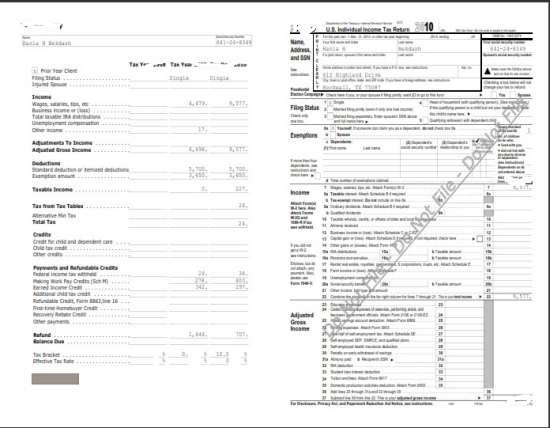
In addition, you can also add page footer and page numbering to each merged or split page.
Hexonic PDF Split and Merge provides you an option to set a password to keep the documents safe and secure.
Some Key Features of this free PDF File Merger:
- Add single or multiple pages to existing PDF documents
- Split PDF documents into one single document per page
- Output two pages of source document on one page of destination document
- Create PDF documents from scanned images
This free software to combine PDF files is completely compatible with Windows XP, Windows Vista and Windows 7. Since it is a desktop software, hence you can not merge PDF online, you will be required to download Hexonic PDF Split & Merge Software.
How to download Hexonic PDF Split and Merge:
- Go onto the website
- click on “Download”
- After the downloading process, click on the downloaded icon in order to install
- click on “run”
yupp..its done. You will find an icon on your desktop. Double click the Hexonic PDF Split and Merge icon to get started with it.
Start adding files and process it in order to see the results instantly. Also check out how to Merge Images with fusion.
You can take a look at Hexonic PDF Split and Merge window in order to get familiar with it:
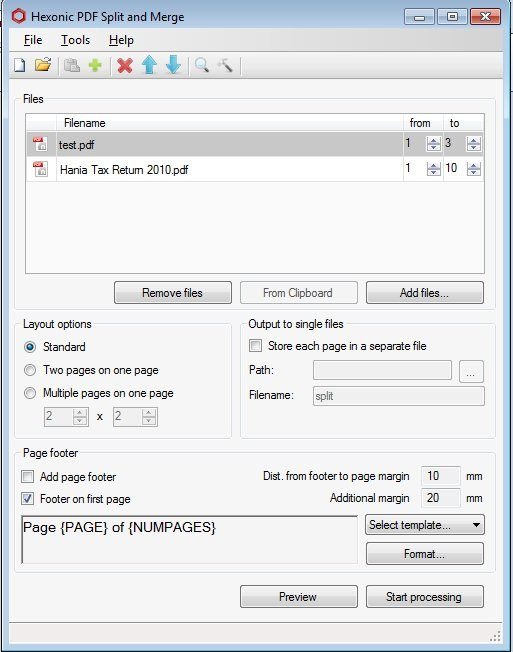
To save the settings: click on “Tools”—> click on “Options”. Adjust the area where you always want your file to be saved.
Some other PDF merging tools that we reviewed earlier include PDFAid, I Love PDF, and PDFRider.
In short, Hexonic PDF Split and Merge is a utility software to combine PDF Files. Go ahead, get it soon and merge files quickly.
